The Problem
Students often need quiet, comfortable, and technology-friendly spaces between classes, but existing campus study areas can be crowded, noisy, outdated, or missing basic support like outlets and comfortable seating. Knapp Hall had the opposite problem: it was quiet, spacious, and available, but it was not being used to its full potential.
Project Overview
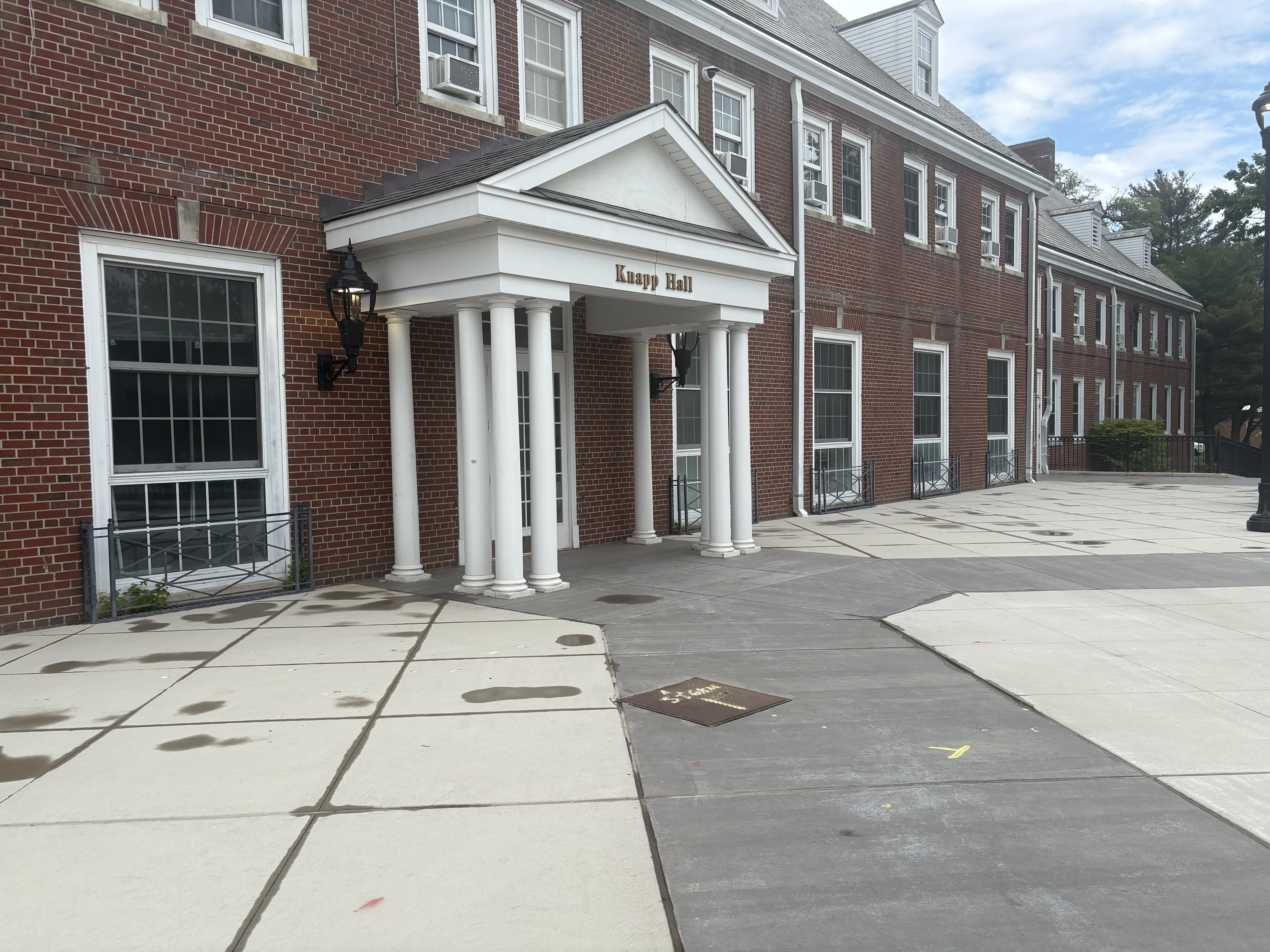
Knest Bridge is a spatial and digital service concept designed to improve the way students use underutilized campus spaces for studying, resting, and technology-supported work. The project focused on Knapp Hall at Farmingdale State College, a quiet and spacious area that students already used informally for studying, eating, listening to music, and taking breaks. Through observation, interviews, ideation, wireframing, prototyping, and user testing, the project proposed a redesigned environment supported by reservable study stations, immersive cubicles, nap pods, device syncing, and a mobile app experience.
The goal was to transform Knapp Hall from an underused quiet space into a more intentional student support environment where students could reserve a station, connect their devices, control their surroundings, and work with fewer distractions.
The Research
The research phase for Knest Bridge focused on understanding how students use quiet, underutilized campus spaces and what barriers prevent those spaces from fully supporting studying, resting, and technology-based work. The team used campus observations, behavior tracking, informal interviews, and mind mapping to identify student needs before developing the design.
Campus Observations
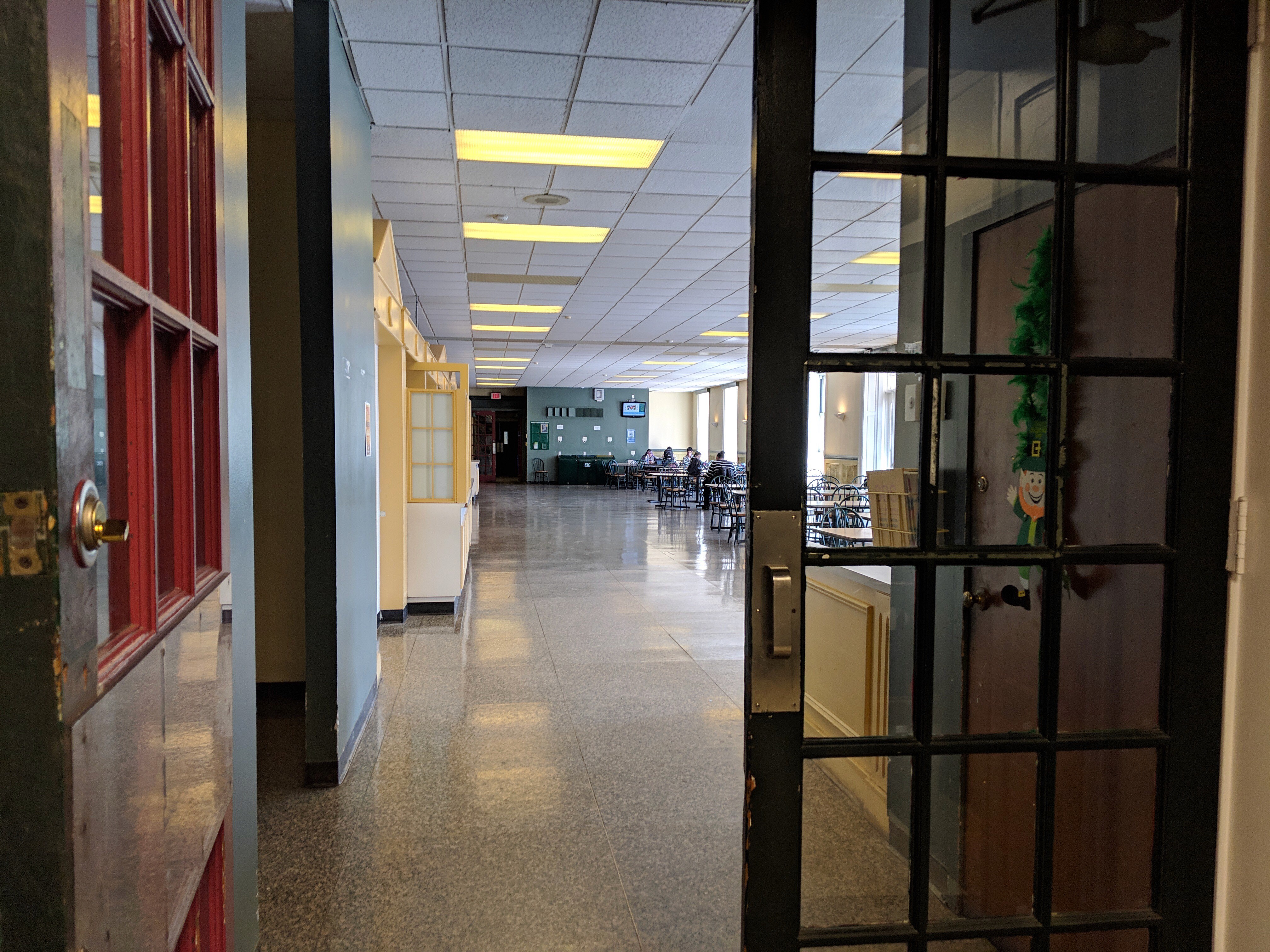
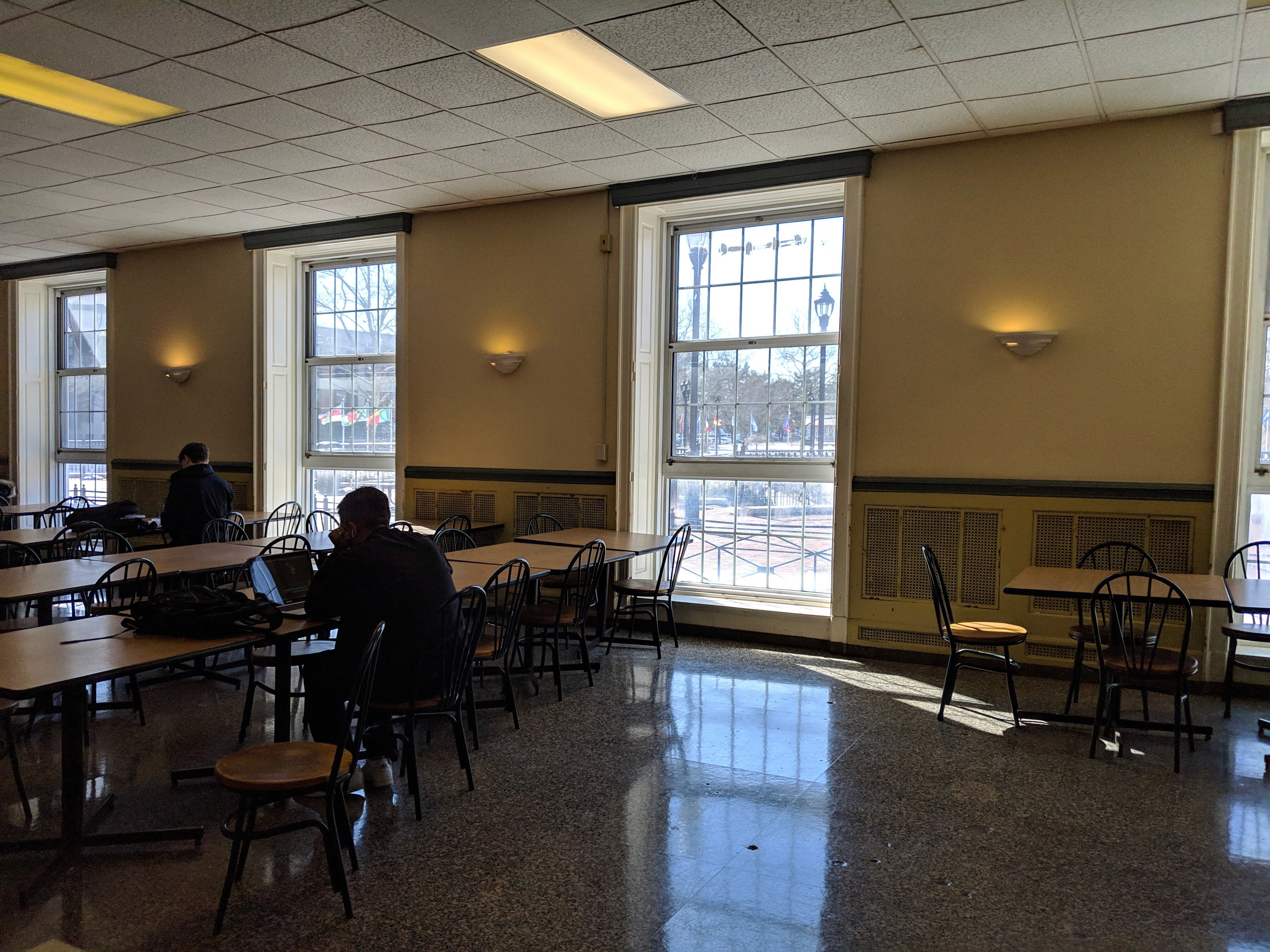
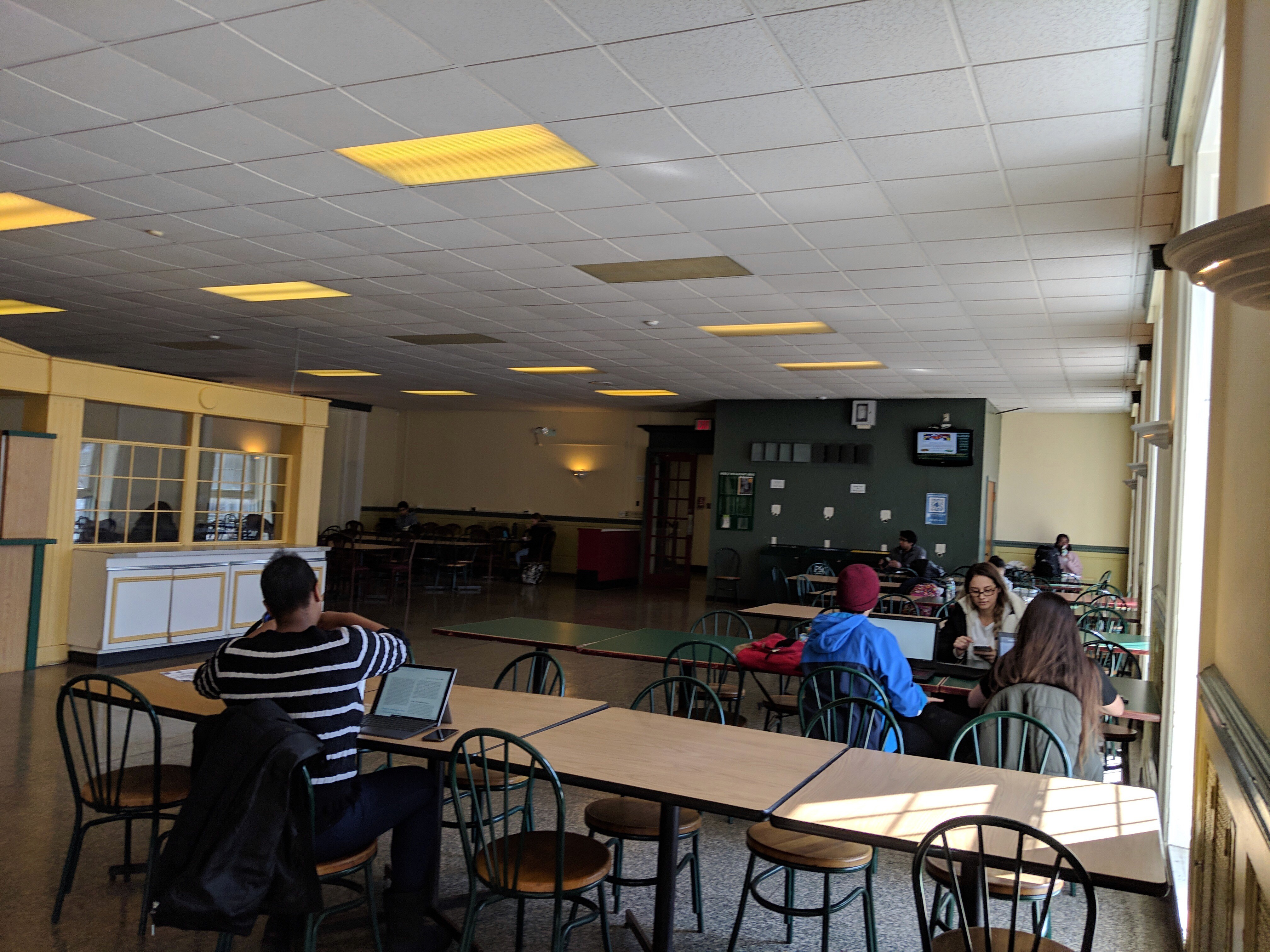
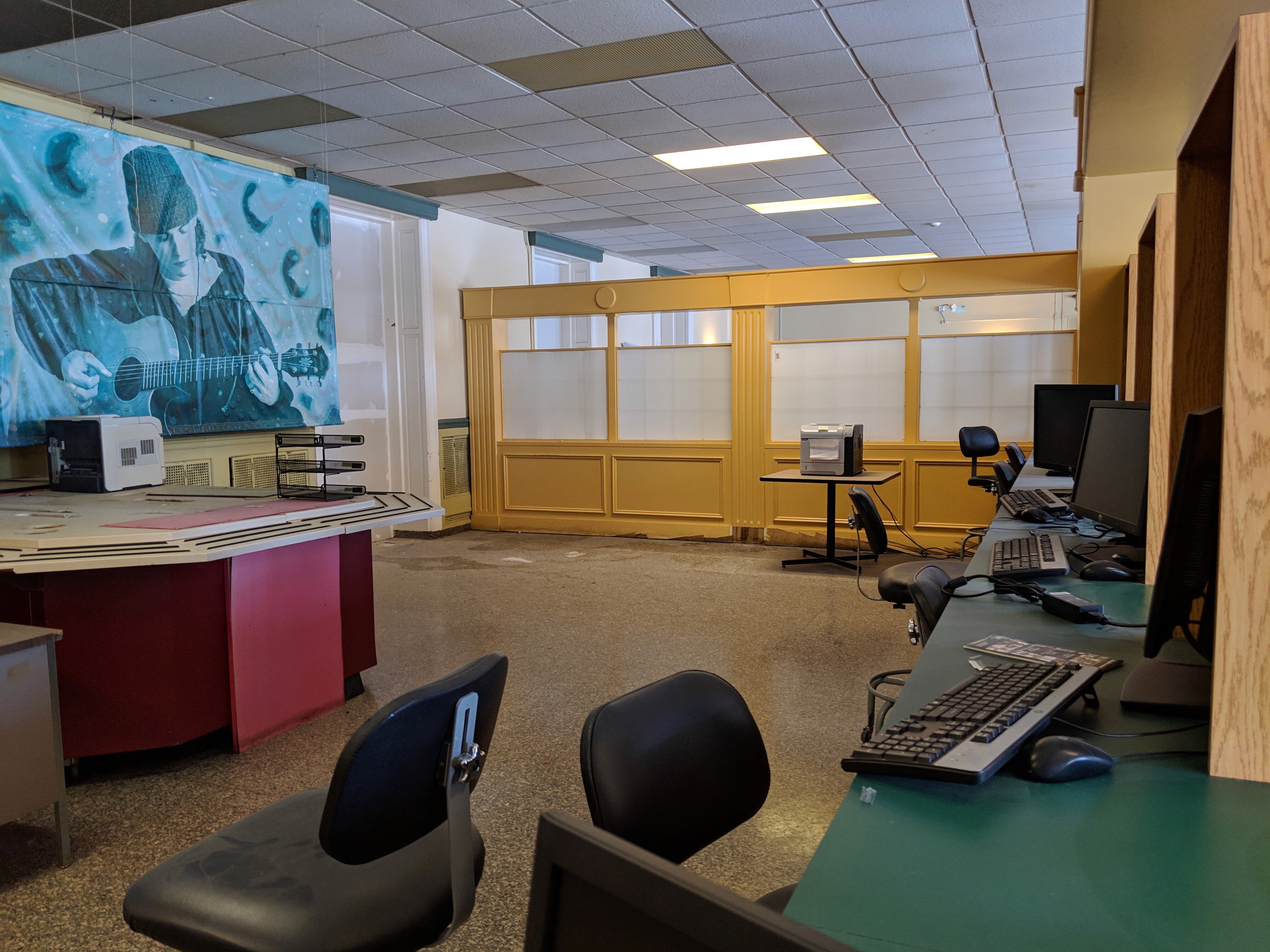
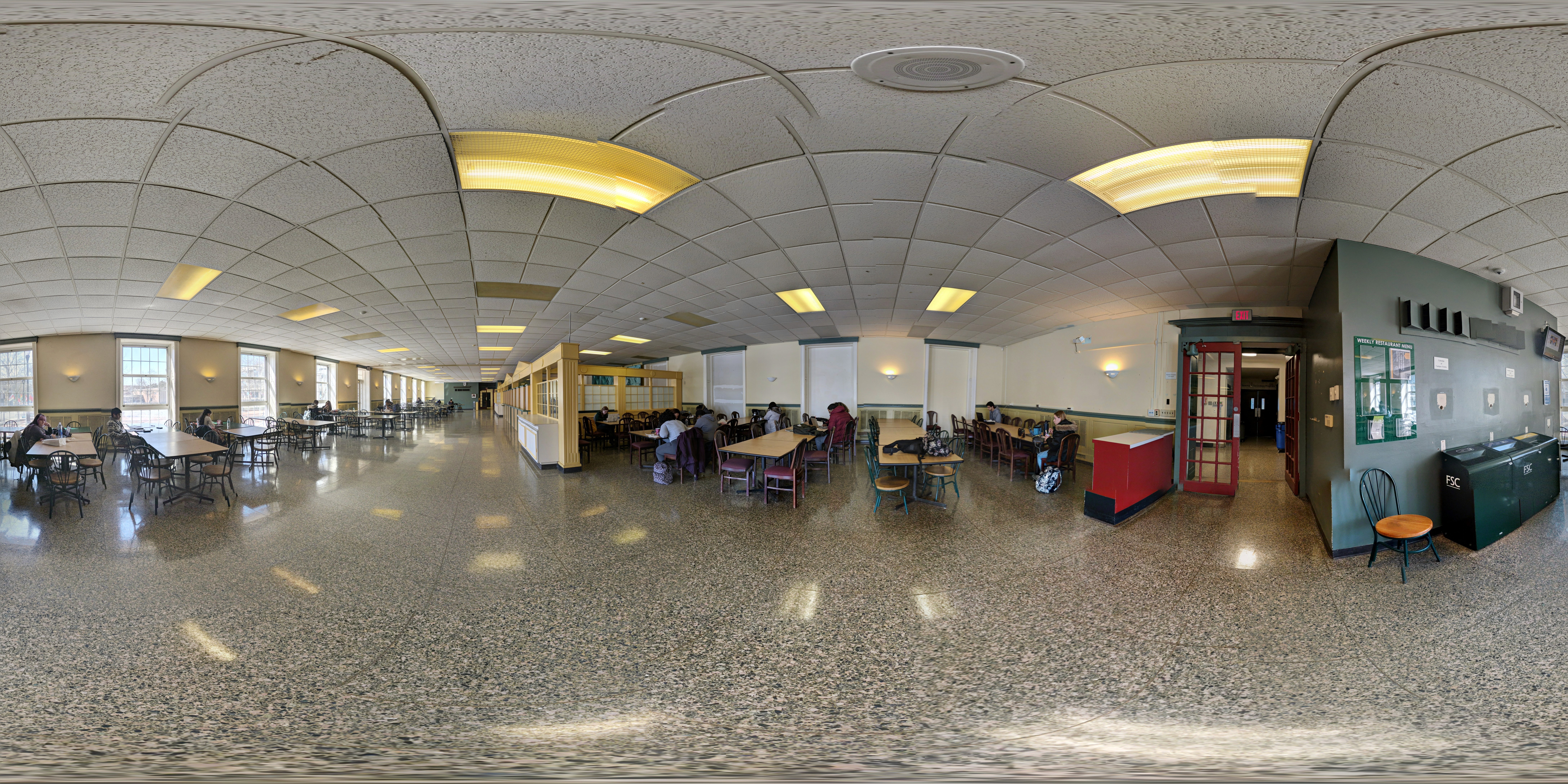
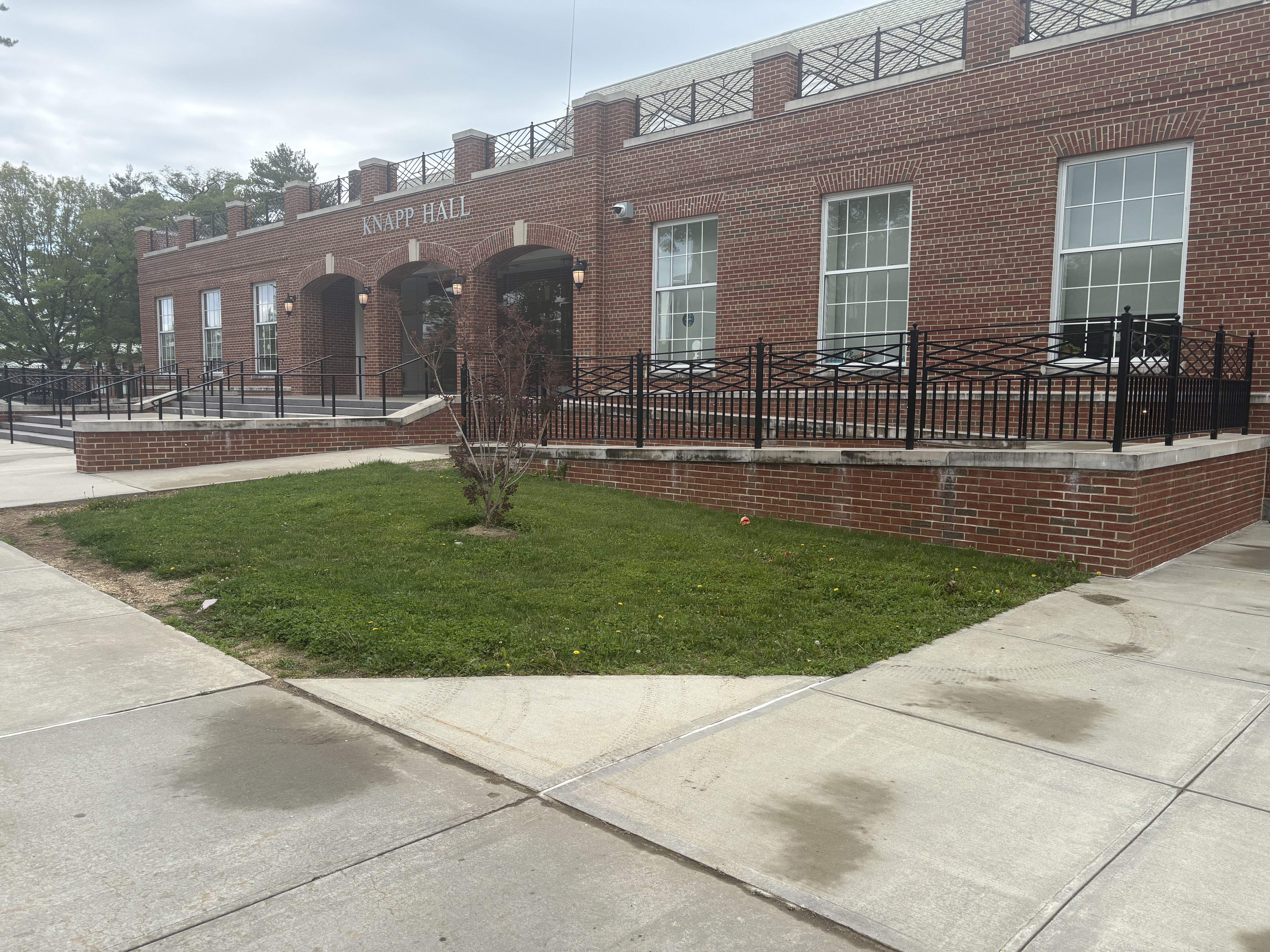
Campus observations were used to understand how students actually experience Knapp Hall during normal school activity. Instead of only focusing on what the building is supposed to provide, I observed how students used the space in real conditions: where they gathered, where they avoided sitting, how they moved through the building, and what kinds of limitations appeared during daily use.
The purpose of this research method was to identify environmental and behavioral patterns that might not come up in a survey alone. For example, students may not always think to explain that they choose a seat based on outlet access, lighting, privacy, noise level, or how close they are to their next class. By observing the space directly, I was able to pay attention to small but important behaviors, such as students scanning the room before sitting, moving seats after realizing an outlet was unavailable, gathering in informal areas, or using hallways and open zones as temporary study spaces.
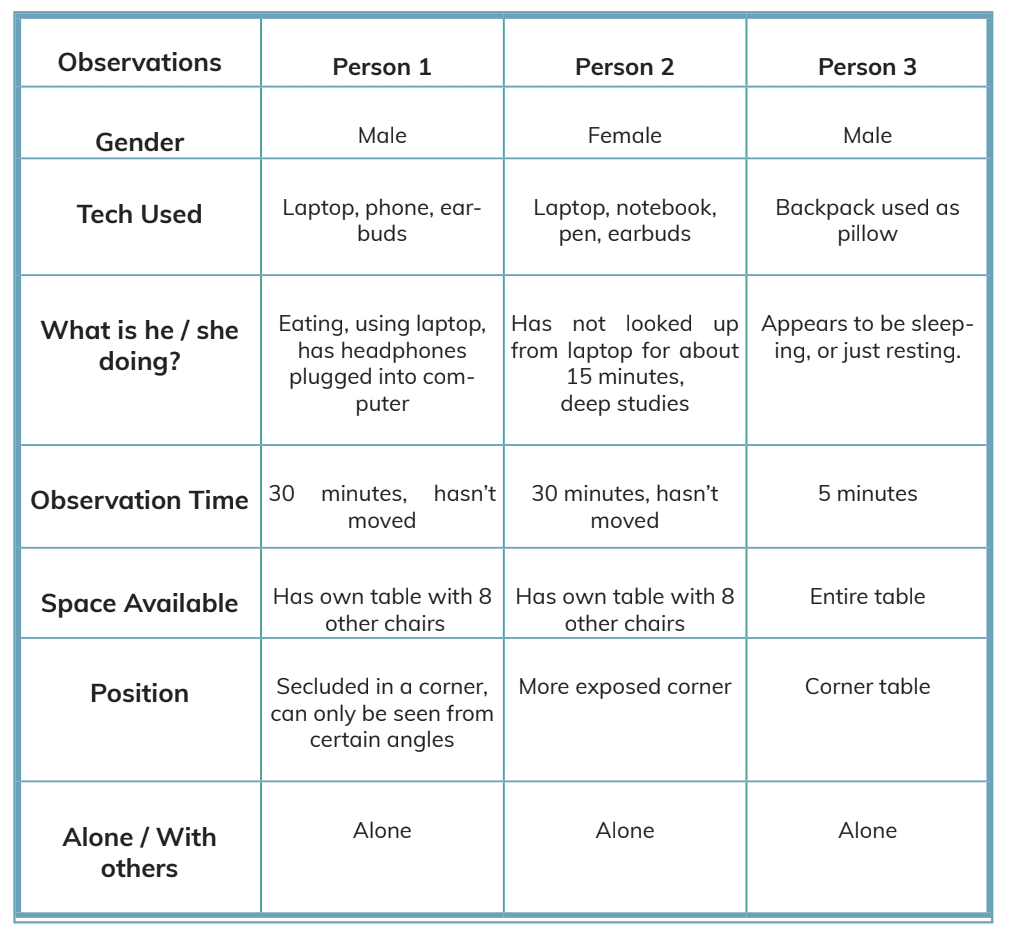
These observations helped reveal that Knapp Hall functions as more than a pass-through academic building. Students use it as a study area, waiting area, social space, technology workspace, and recovery space between classes. However, the building does not always clearly support those different uses. Some areas feel underused, while others become crowded or inconvenient because students are trying to adapt the space to their needs.
Through this method, I was able to identify several recurring issues: limited awareness of available study spots, inconsistent access to power outlets, unclear zones for quiet versus collaborative work, and a lack of visible guidance for how students can best use the building. These findings helped shape Knest Bridge as a system focused on improving how students understand, navigate, and make use of shared campus spaces.
Behavior Tracking
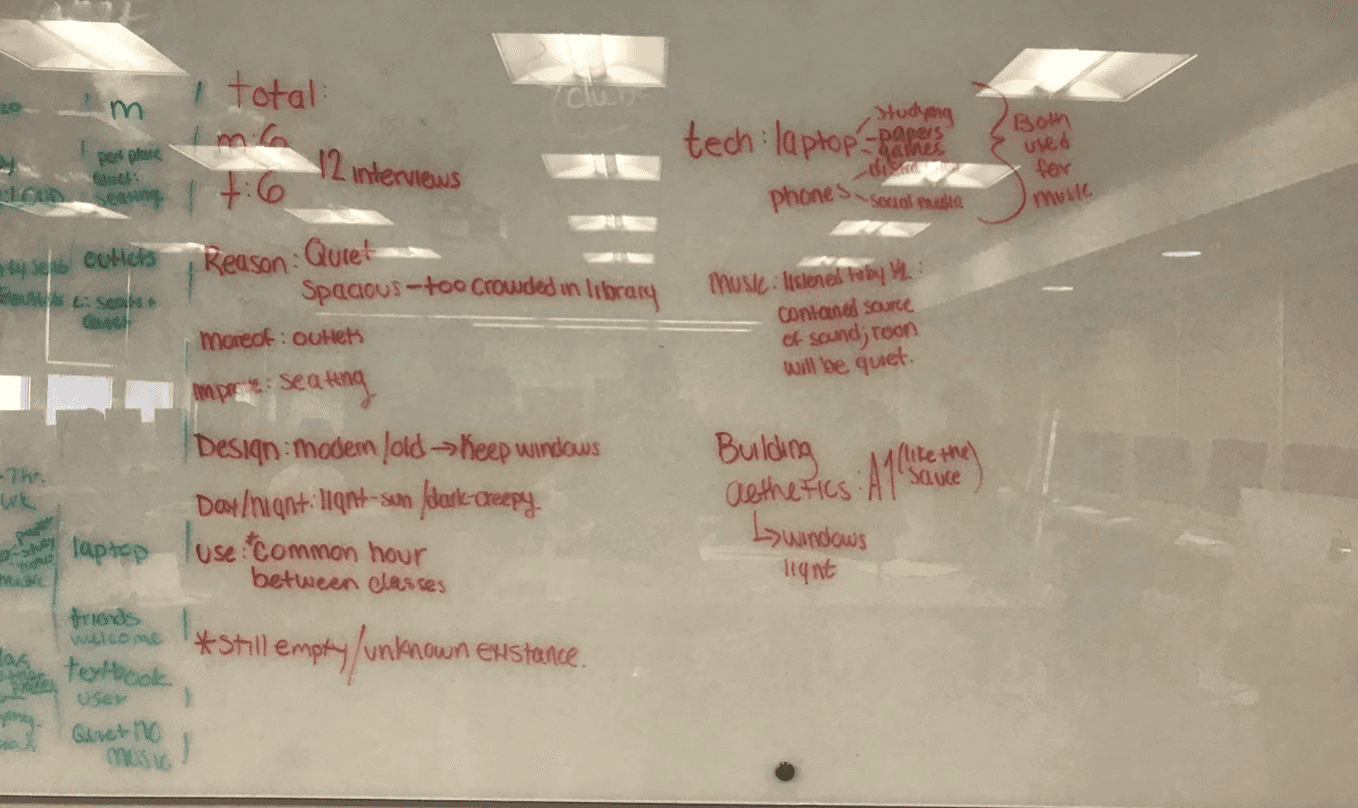
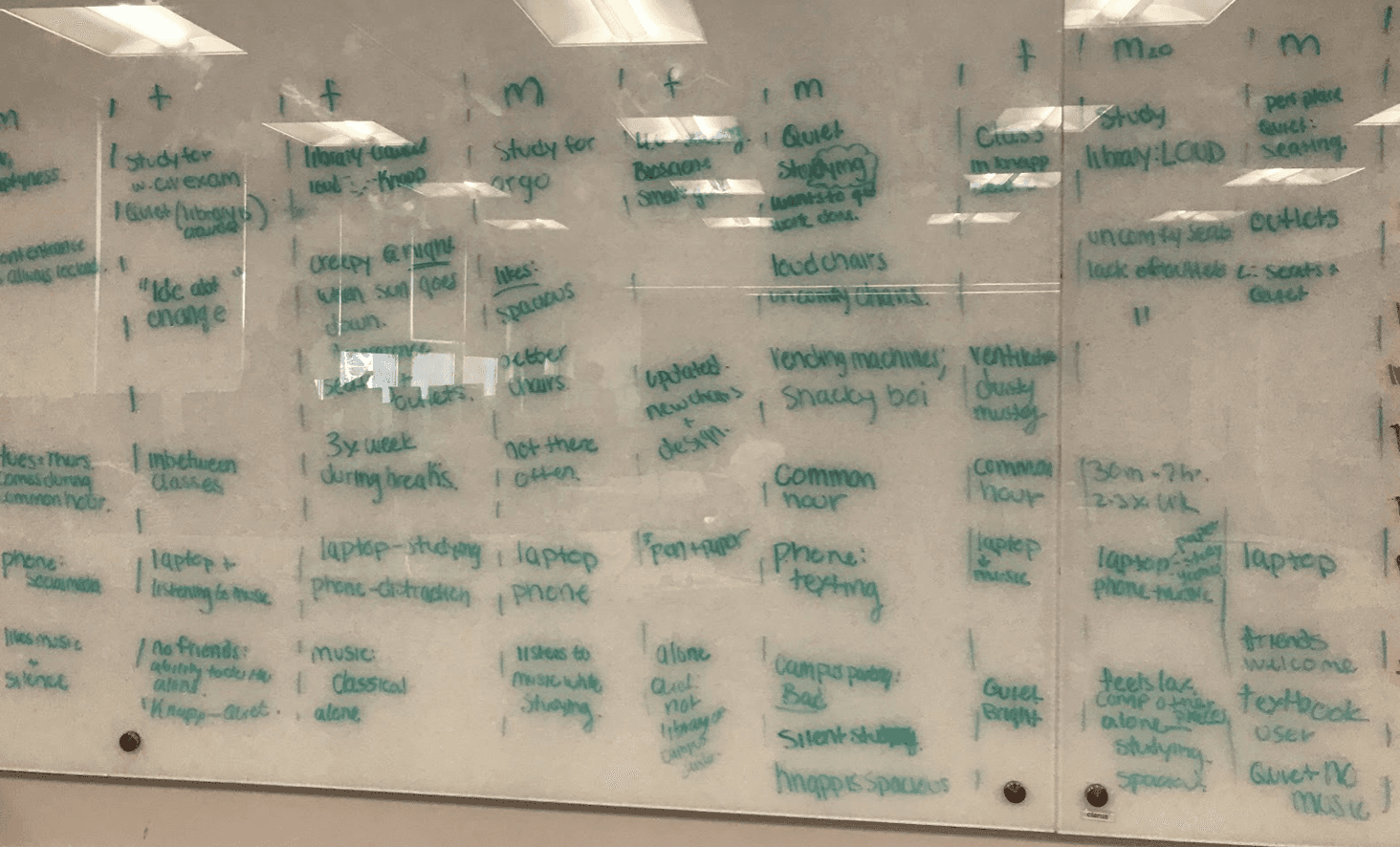
Behavior tracking was used to understand how students naturally interacted with Knapp Hall without interrupting their routine. While campus observations focused on the physical conditions of the space, behavior tracking focused on student movement, usage patterns, and repeated actions within the environment.
This included watching where students chose to sit, how long they stayed, whether they worked alone or in groups, how often they used laptops or phones, and whether they appeared to search for outlets, quiet areas, or open seating. I also paid attention to how students moved between study, rest, and technology-based tasks, since the goal was to understand whether the space supported their actual academic behavior.
This method helped reveal that students were not only looking for a place to sit, but for a space that could support focus, device use, short breaks, and flexible study habits. These findings helped shape Knest Bridge as a system focused on improving access, comfort, and usability within a student-centered campus environment.
Interviews
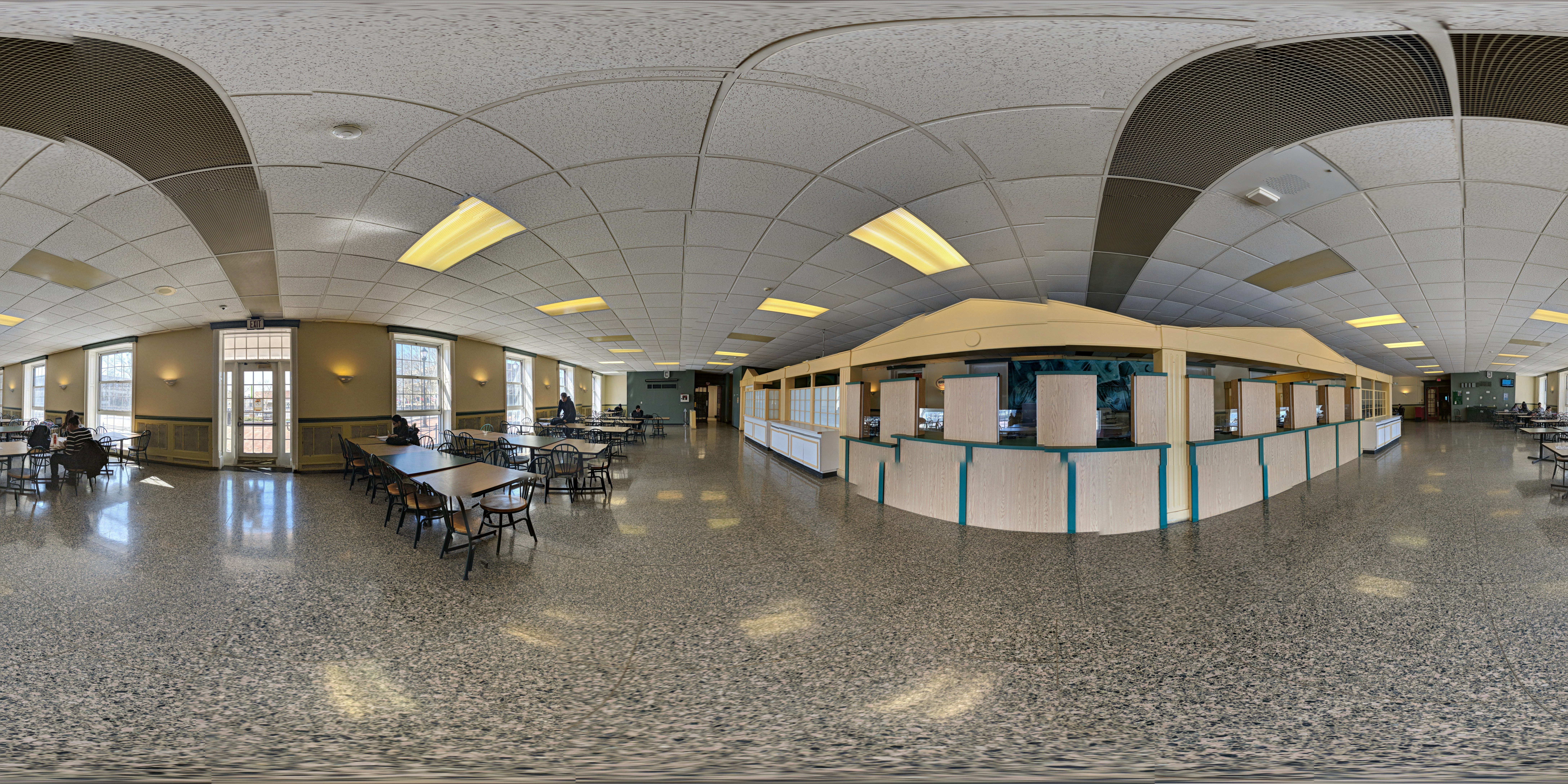
Interviews were used to understand the student perspective behind the behaviors we observed in Knapp Hall. While campus observations showed how students used the space, the interviews helped explain why they chose Knapp, what they valued about it, what frustrated them, and what they wished the space could provide.
The interview questions were organized into three main categories: reasons for using Knapp Hall, technology habits, and opinions about the space. Students were asked why they chose Knapp over other campus locations, how often they used it, what devices they used while working, whether they preferred music or silence, whether they wanted to be alone or with others, and what they liked or disliked about the room.
A major finding was that students did not use Knapp Hall randomly. They chose it because other campus spaces, especially the library, were often too crowded, loud, or unavailable. One student said they came to Knapp because the library was packed and Knapp was usually empty and quieter. Another student explained that they only came to Knapp when the library was not available first, which showed that Knapp was functioning as a secondary study space rather than a fully intentional destination.
The interviews also showed that technology access was central to the student experience. Students used laptops, phones, headphones, notebooks, and music as part of their study routine, but the space did not fully support those behaviors. One student specifically mentioned the lack of outlets as a problem, which connected directly to our observation that students often sat near the limited outlet locations.
Another important theme was the balance between privacy and companionship. Some students preferred being alone because they wanted to focus, while others liked being with another person for company. This revealed that the redesigned space could not only be a silent study room. It needed to support different levels of interaction: private focus, quiet paired work, short breaks, and controlled social presence.
Students also described Knapp Hall as peaceful and comfortable in terms of atmosphere, but limited in terms of physical design. They liked the privacy, quietness, and calm feeling of the space, but disliked the uncomfortable seating, lack of outlets, and outdated appearance. One interview response suggested that the old cafeteria area could be replaced or reworked, which became important for thinking about how an underused campus area could be redesigned into a more purposeful student environment.
Mind Mappping
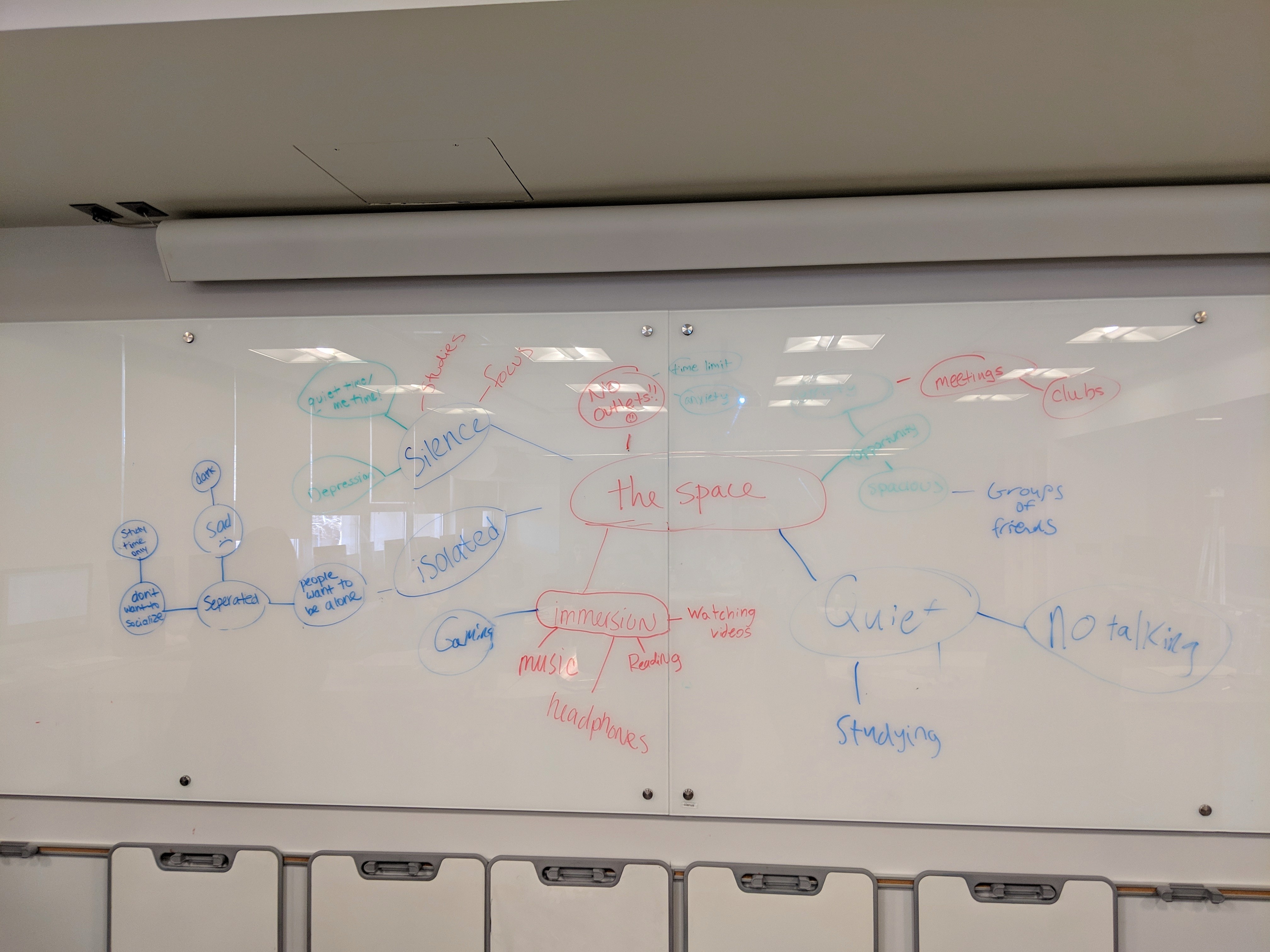
Mind mapping was used to organize the research findings and connect the different problems students experience in Knapp Hall. After gathering observations and early insights, I used mind mapping to break the project down into major categories such as student needs, space limitations, technology access, comfort, navigation, study behavior, and communication.
The purpose of the mind map was to move from scattered observations into a clearer design structure. Many of the issues in Knapp Hall were connected. For example, a lack of outlet access is not only a technology problem; it also affects where students sit, how long they stay, whether they can complete work, and whether they feel comfortable using the space. In the same way, unclear study zones are not only a layout issue; they affect noise levels, student focus, group work, and how welcoming the building feels.
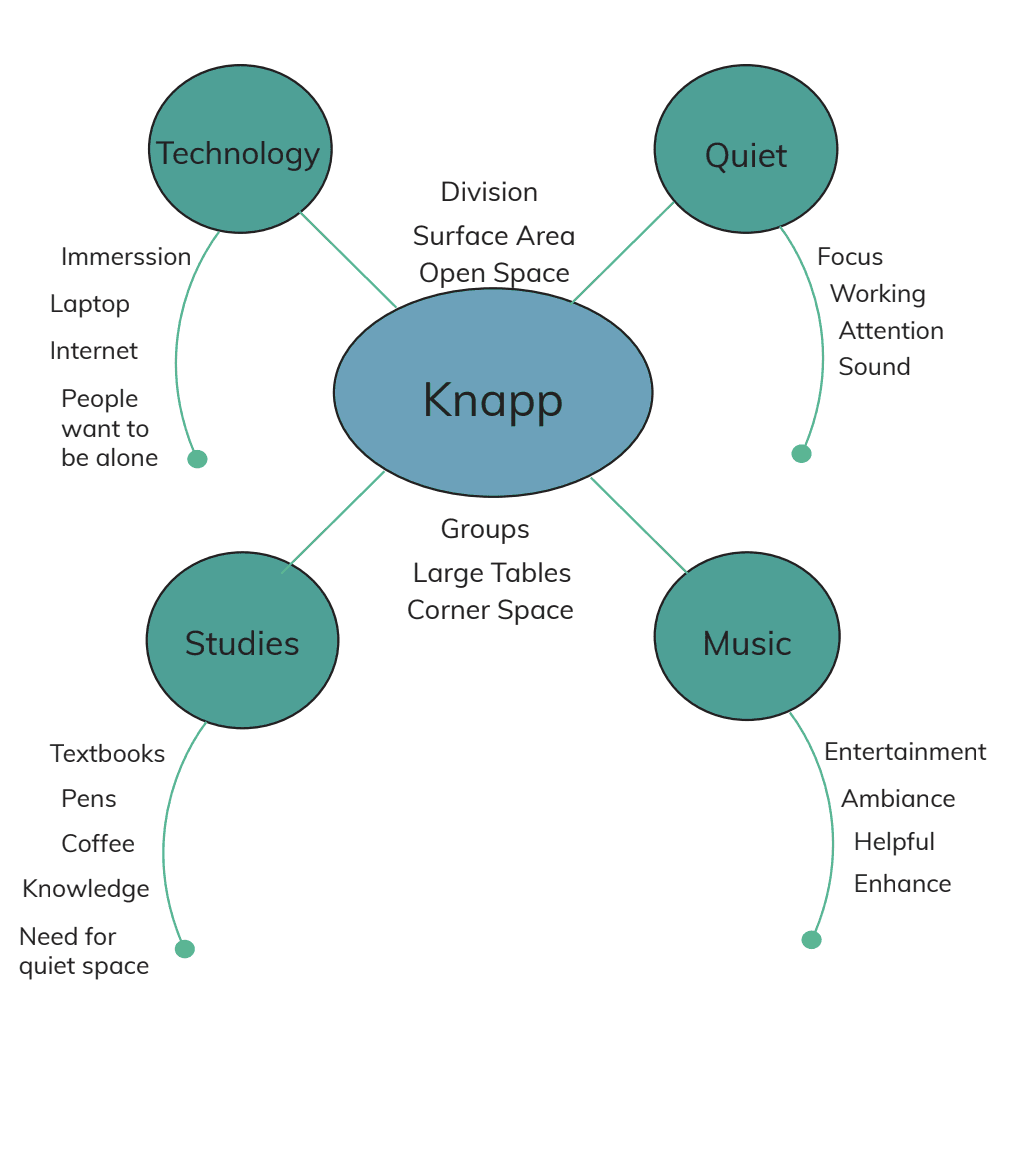
By mapping these relationships, I was able to see that Knest Bridge should not only solve one isolated issue. The project needed to address the larger experience of students trying to find a useful place to work, rest, or connect between classes. The mind map helped connect physical space problems with digital support opportunities, such as showing available study areas, identifying quiet or collaborative zones, helping students locate resources, and making the building easier to understand.
This process also helped define the direction of the system. Instead of designing a basic campus map or room directory, the project developed into a bridge between students and the building itself. The mind map clarified that the final product needed to support decision-making, reduce uncertainty, and make Knapp Hall feel more usable, accessible, and student-centered.
Key Research Insights
Students were not only looking for a place to sit; they were looking for a space that supported how they work. The most important needs were quiet environment, privacy, technology access, comfort, personal control and convenience.
Students selected Knapp because it offered a calmer atmosphere than crowded spaces like the library or Conklin Hall.
They often used laptops, phones, earbuds, notebooks, and other study tools, but the lack of outlets limited how useful the space could be. Some students stayed for long periods, often around two hours, which made seating comfort and environmental control more important. Students wanted the ability to work alone, listen to music, sit in silence, avoid distractions, and stay focused without feeling exposed.
High-Level Value Proposition
Knest Bridge helps college students find, reserve, and personalize quiet campus workspaces by combining physical study environments with a simple mobile app. Instead of forcing students to search for available seats, compete for outlets, or leave their study flow to find a better space, Knest Bridge creates a connected system where students can choose the type of station they need, reserve a time slot, sync their device, and work in a setting designed around focus, privacy, comfort, and technology access.
User Archetypes
Customer Relationship

Students
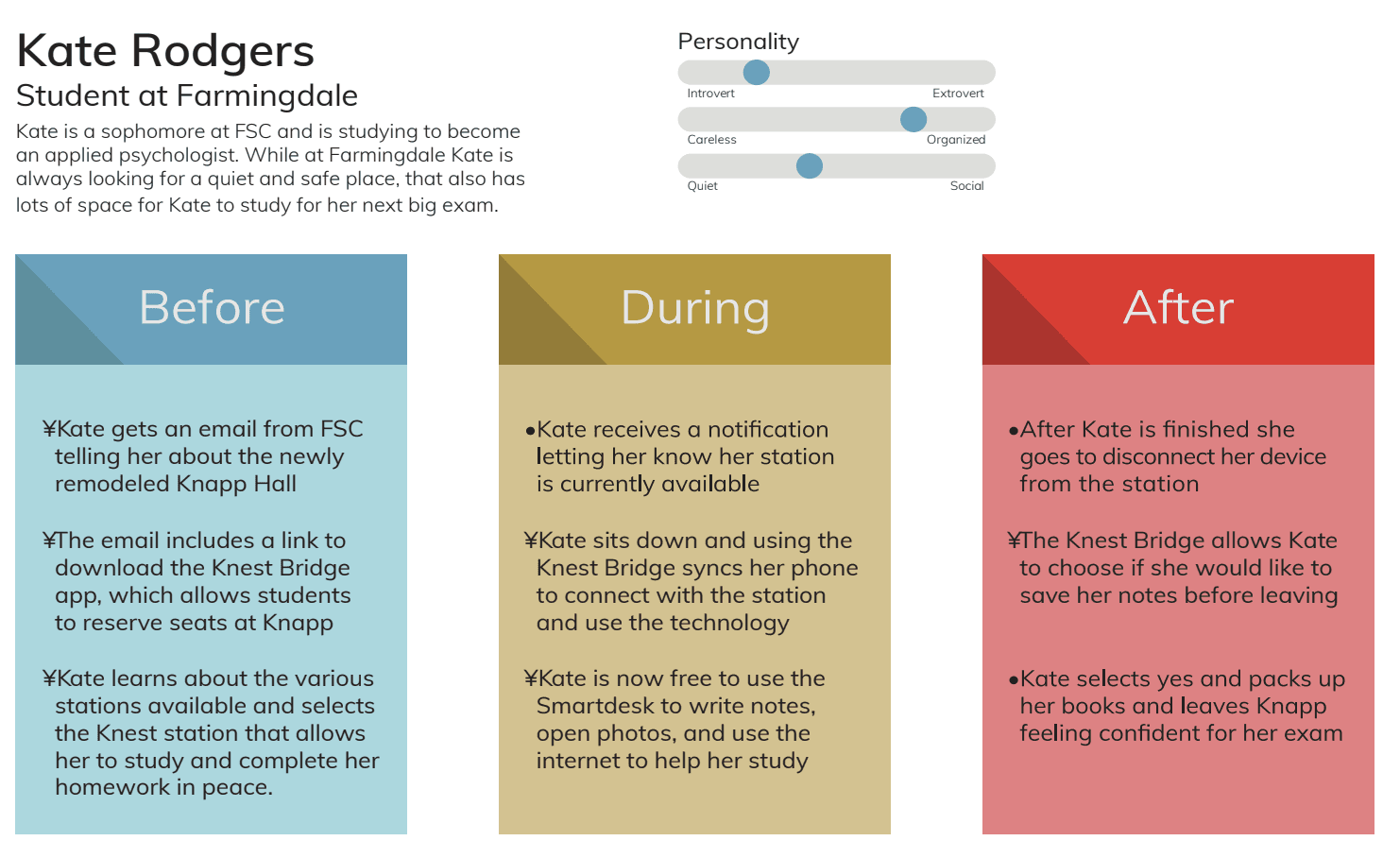
Students are the primary users and co-creators of Knest Bridge. Their observations, interviews, and user testing feedback helped define the need for quiet study zones, better outlets, comfortable seating, privacy, station reservations, and clearer app interactions.
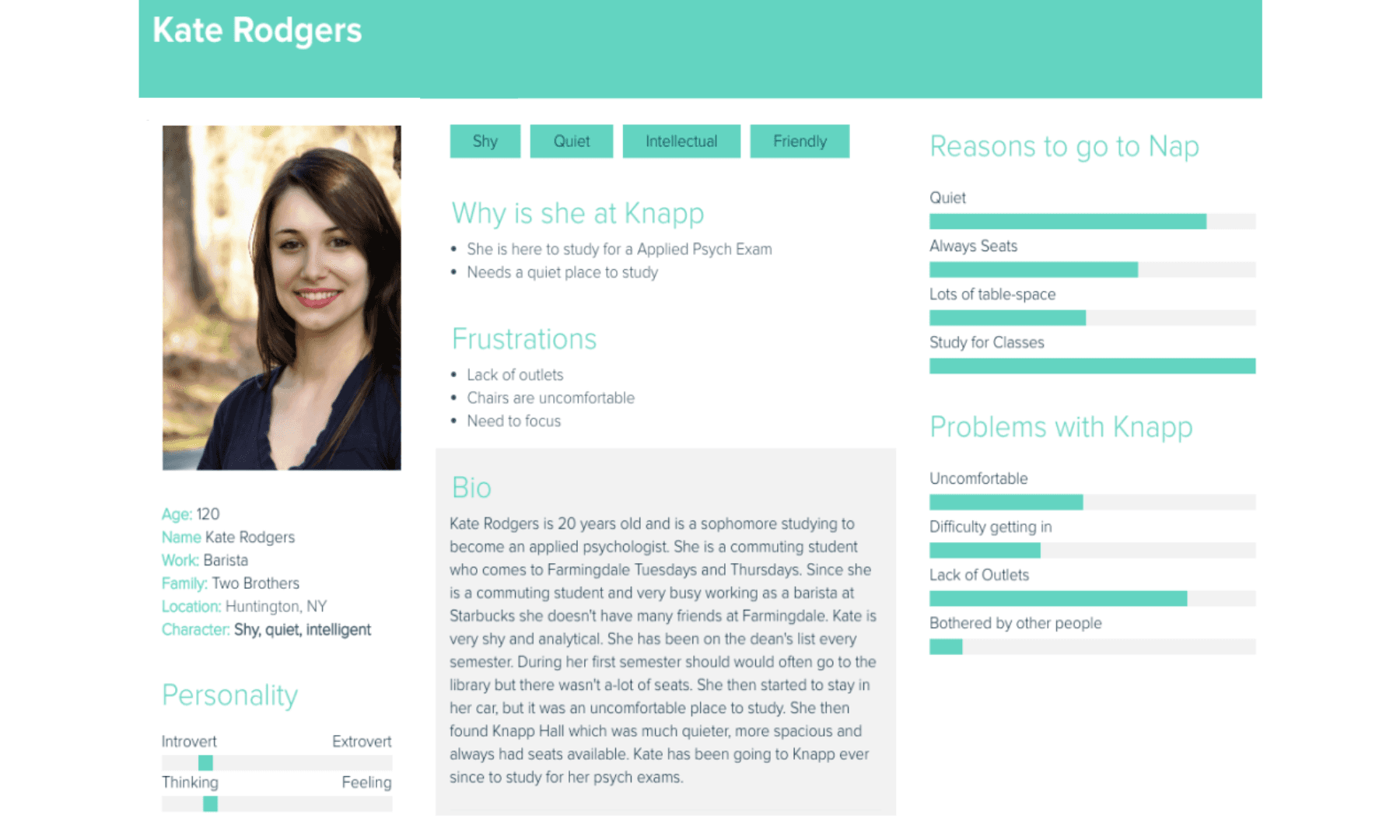
Persona
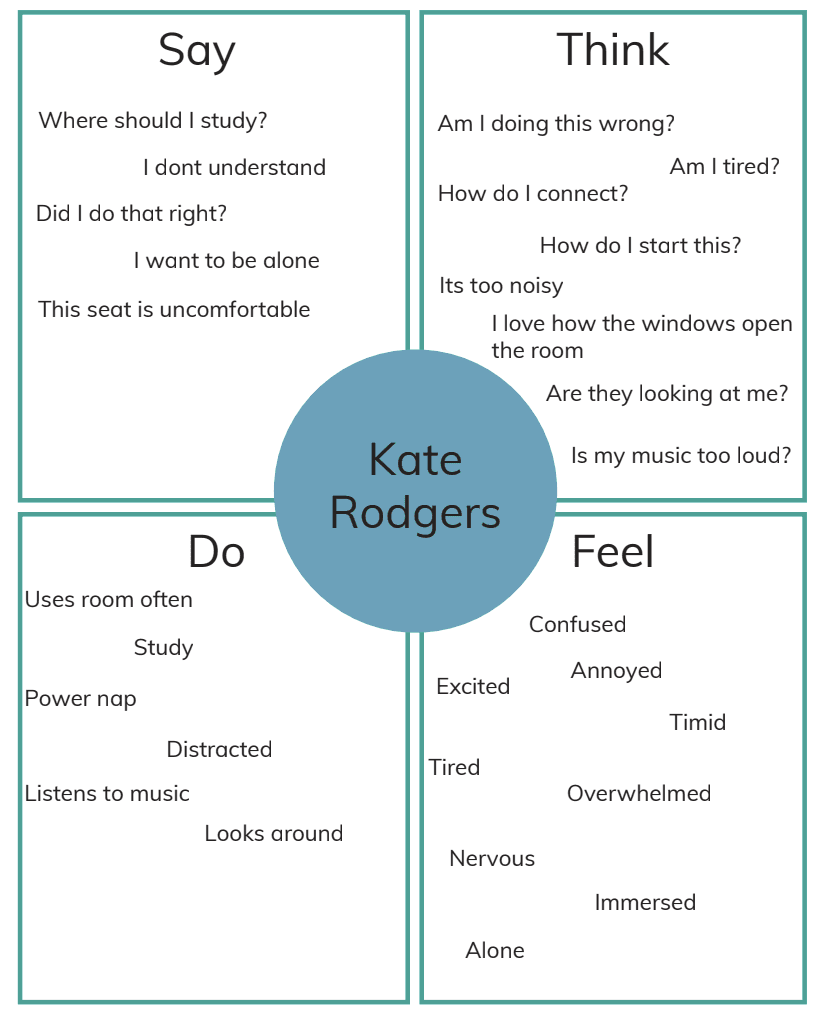
Empathy Map
Sketching the Interaction
Brief Sketchs
Design Mapping
Low-Fidelity Wireframes
Agile UX Process
Defiing the Design Directon
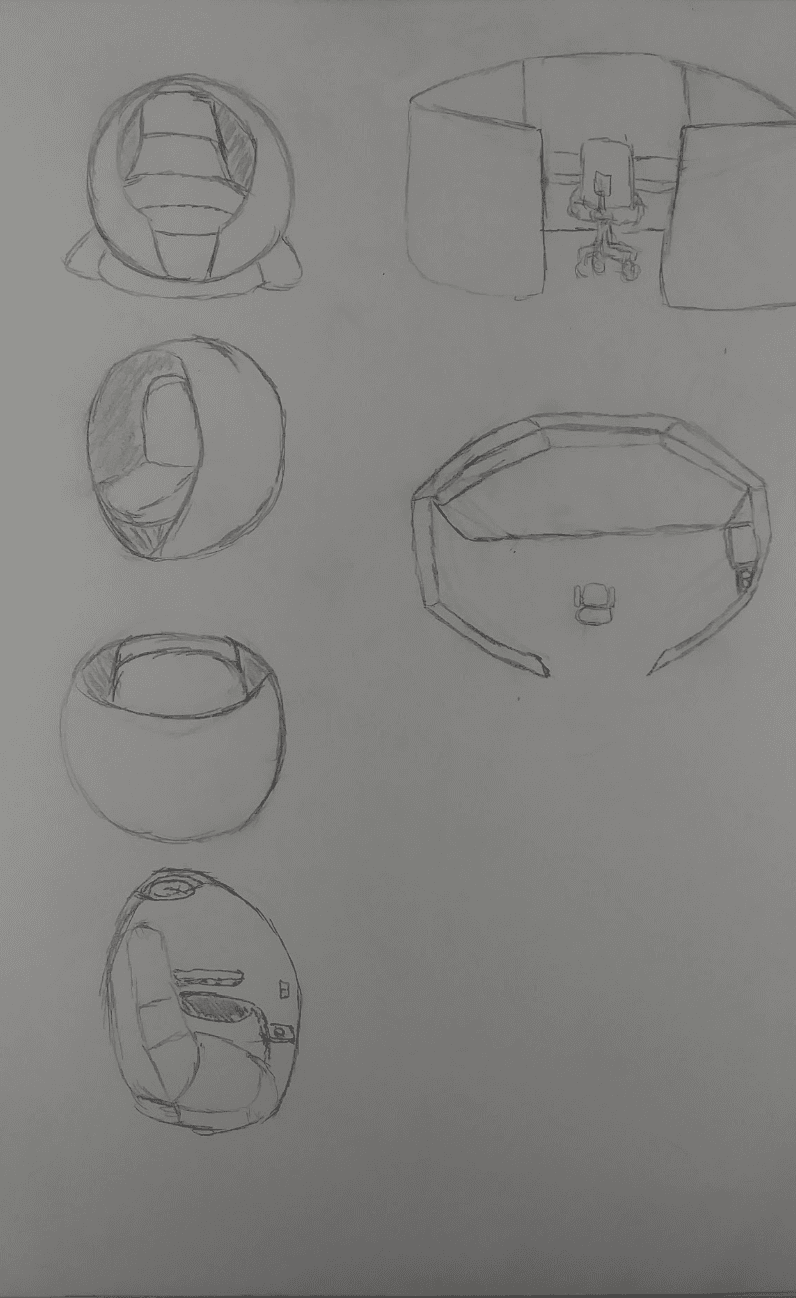
Knest Bridge was built around the idea of connecting physical space with digital interaction. The team explored several station types:
Knest Stations
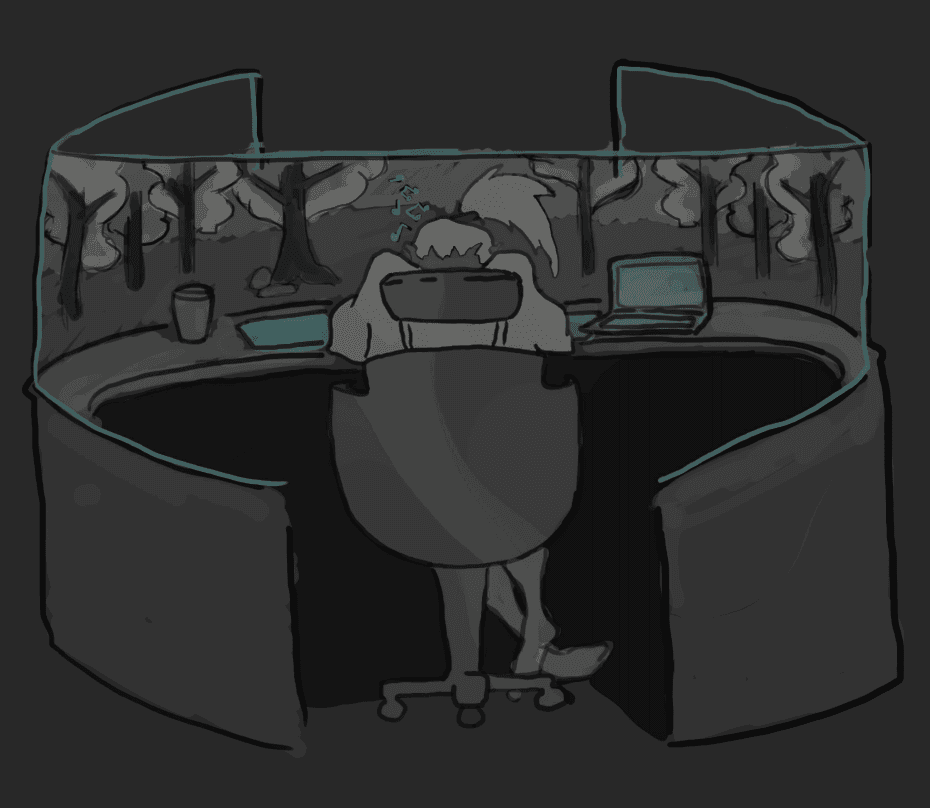
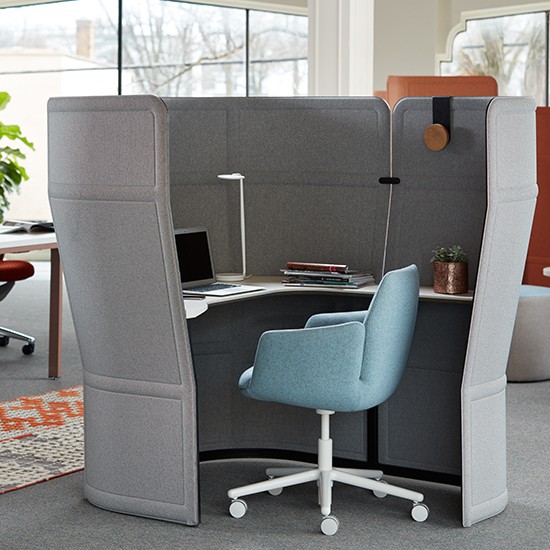
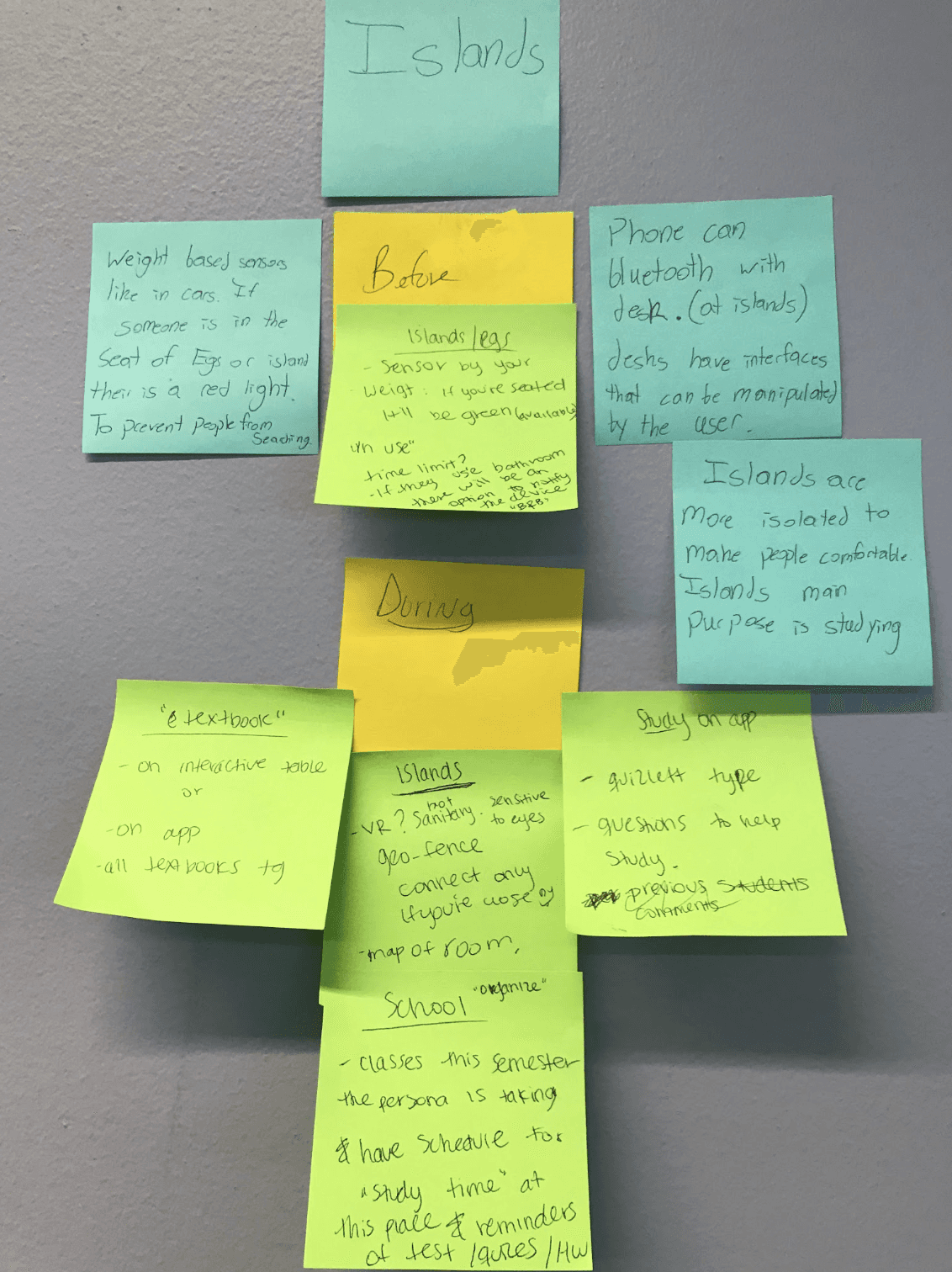
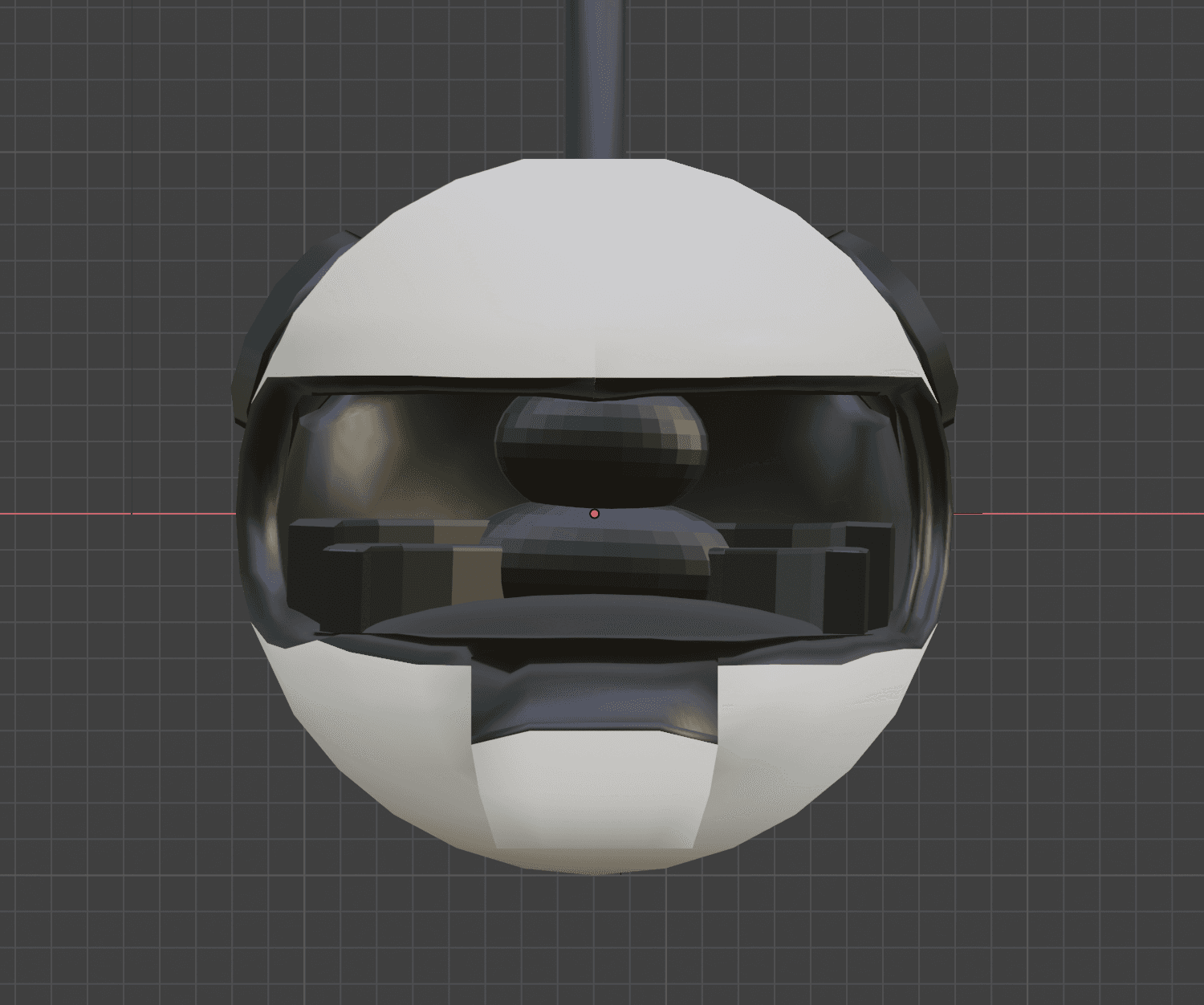
Knest stations were imagined as immersive circular cubicles where students could connect their devices to a desk tablet, access internet tabs, digital textbooks, music, and Farmingdale’s digital library. The concept also explored environmental customization, such as changing the cubicle glass to display a more calming visual setting.
EG Nap Pods
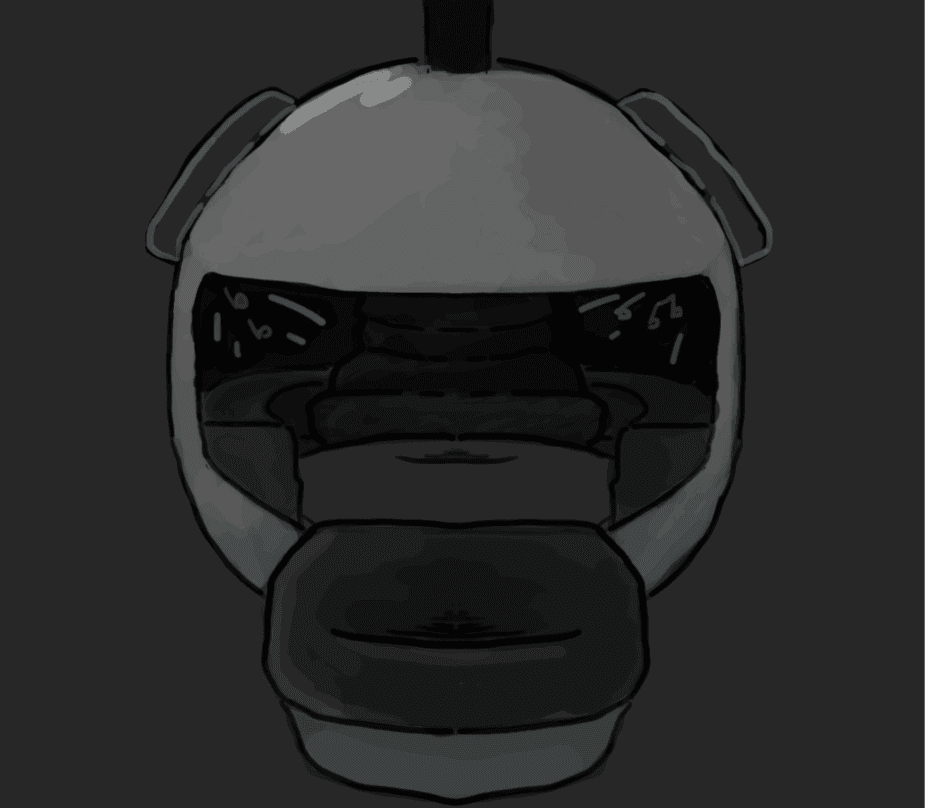
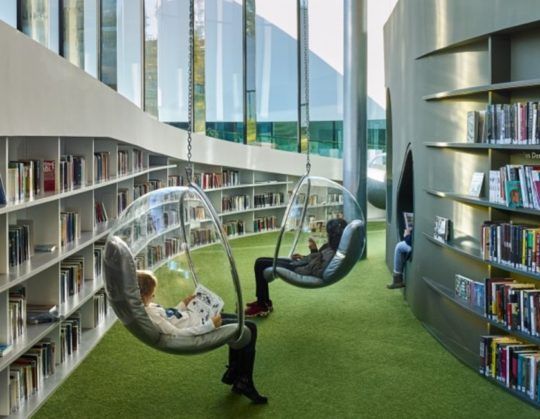
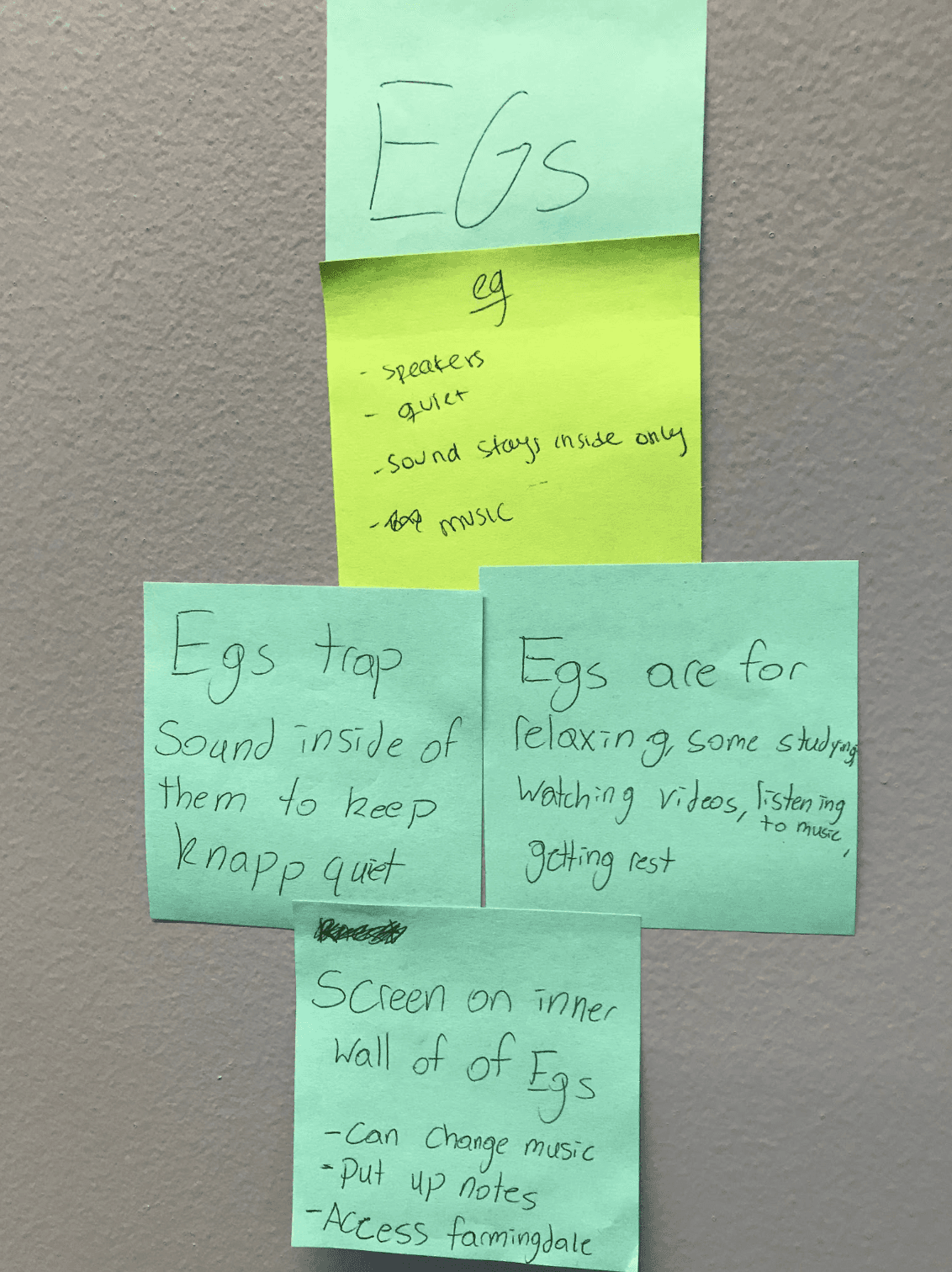
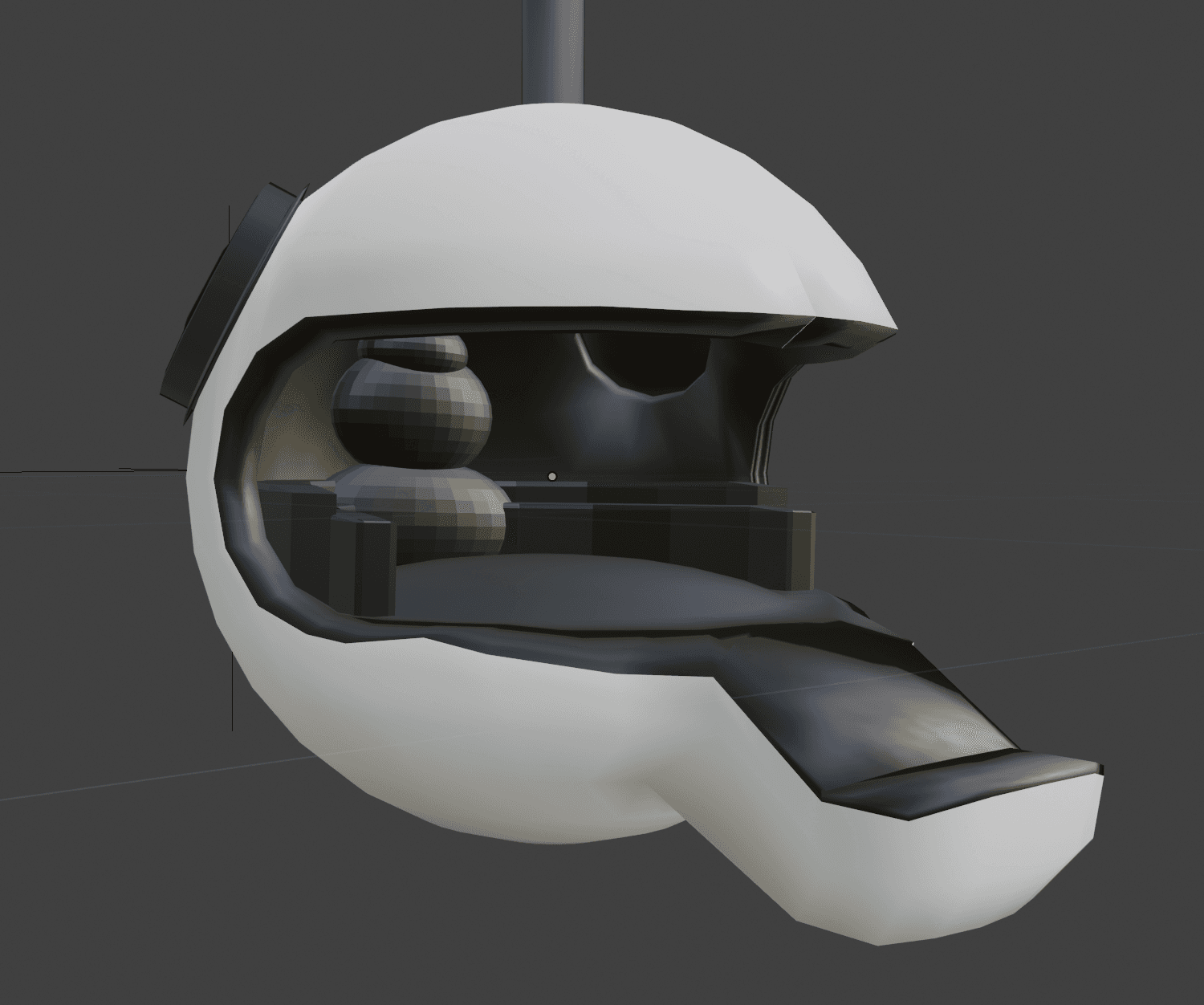
EG pods were designed for students who needed to nap, rest, or listen to audio privately. Through the Knest app, users could connect to the pod and control media from apps like YouTube or Spotify while keeping the audio contained inside the pod.
Branch / Group Areas
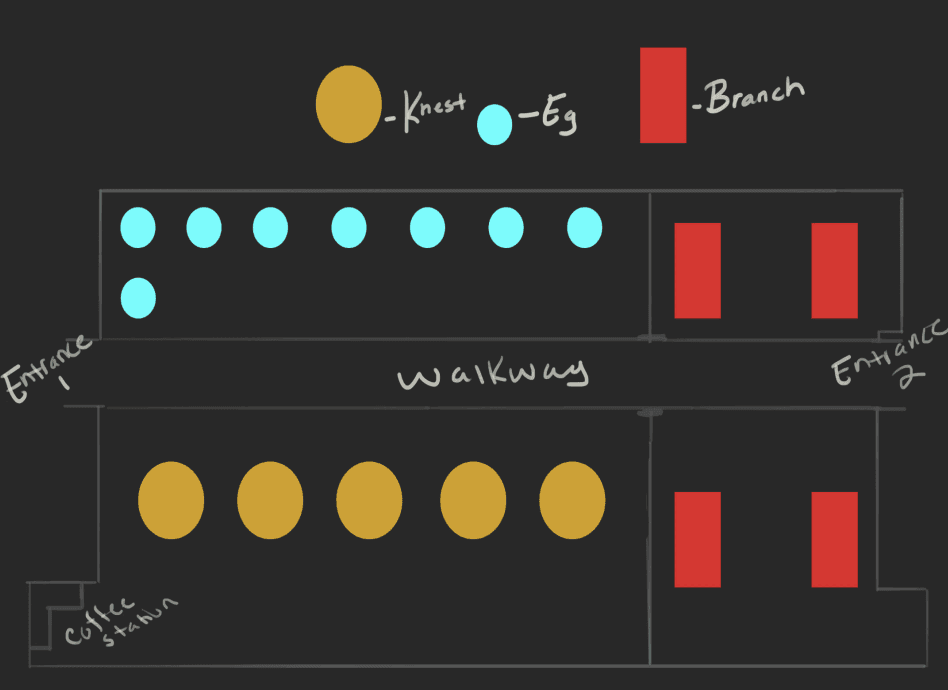
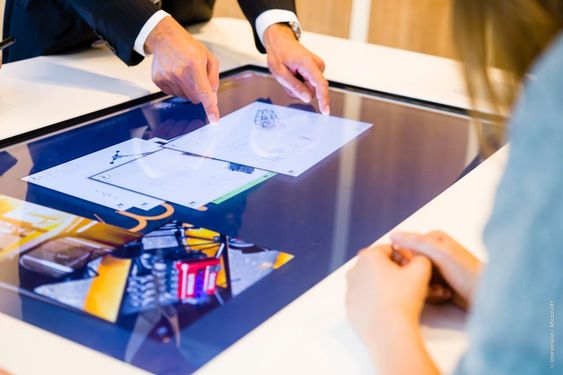
The broader space planning also considered group work, interactive tables, and areas that would support multiple kinds of student activity without removing the spaciousness that students already valued.
Information Architecture
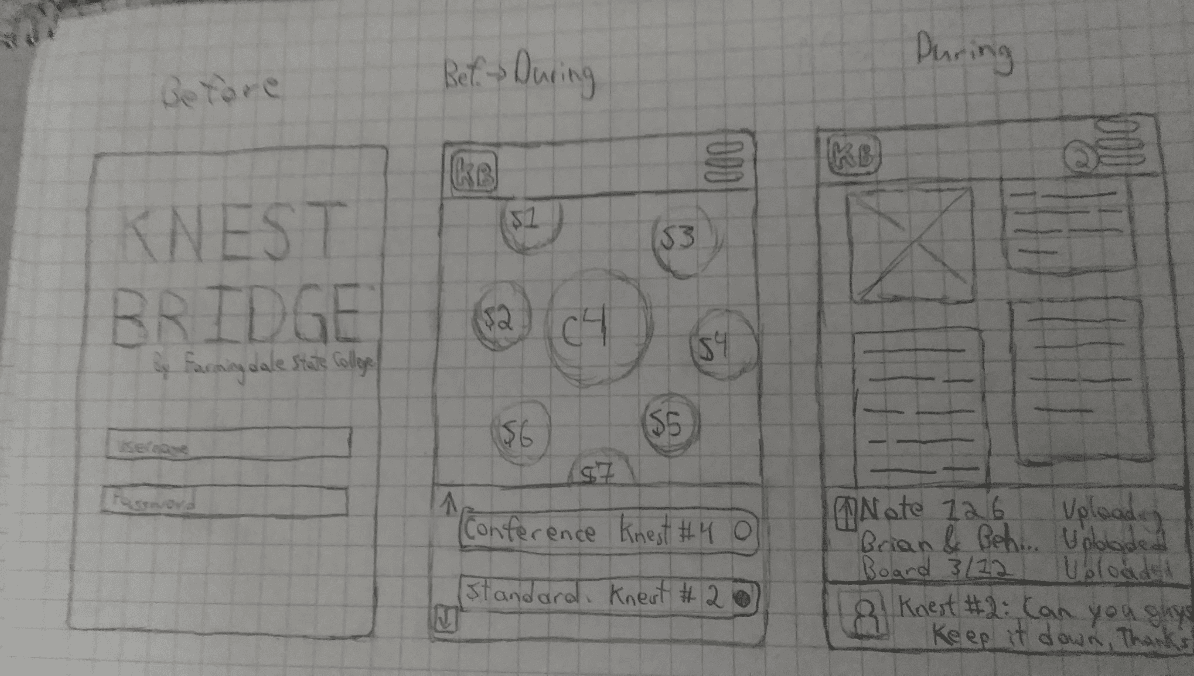
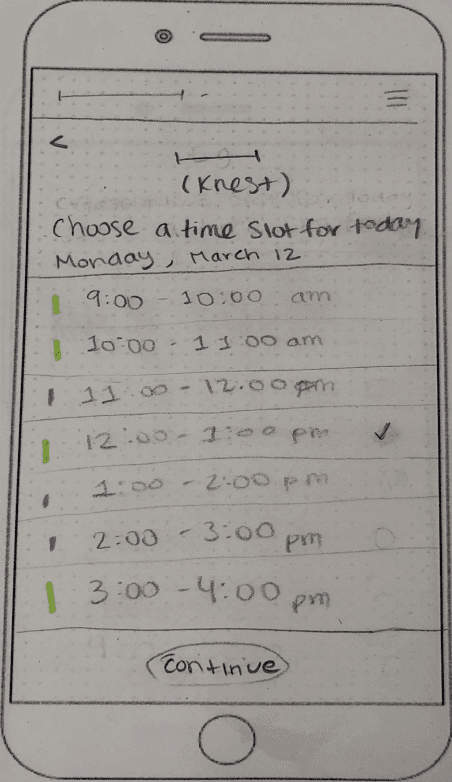
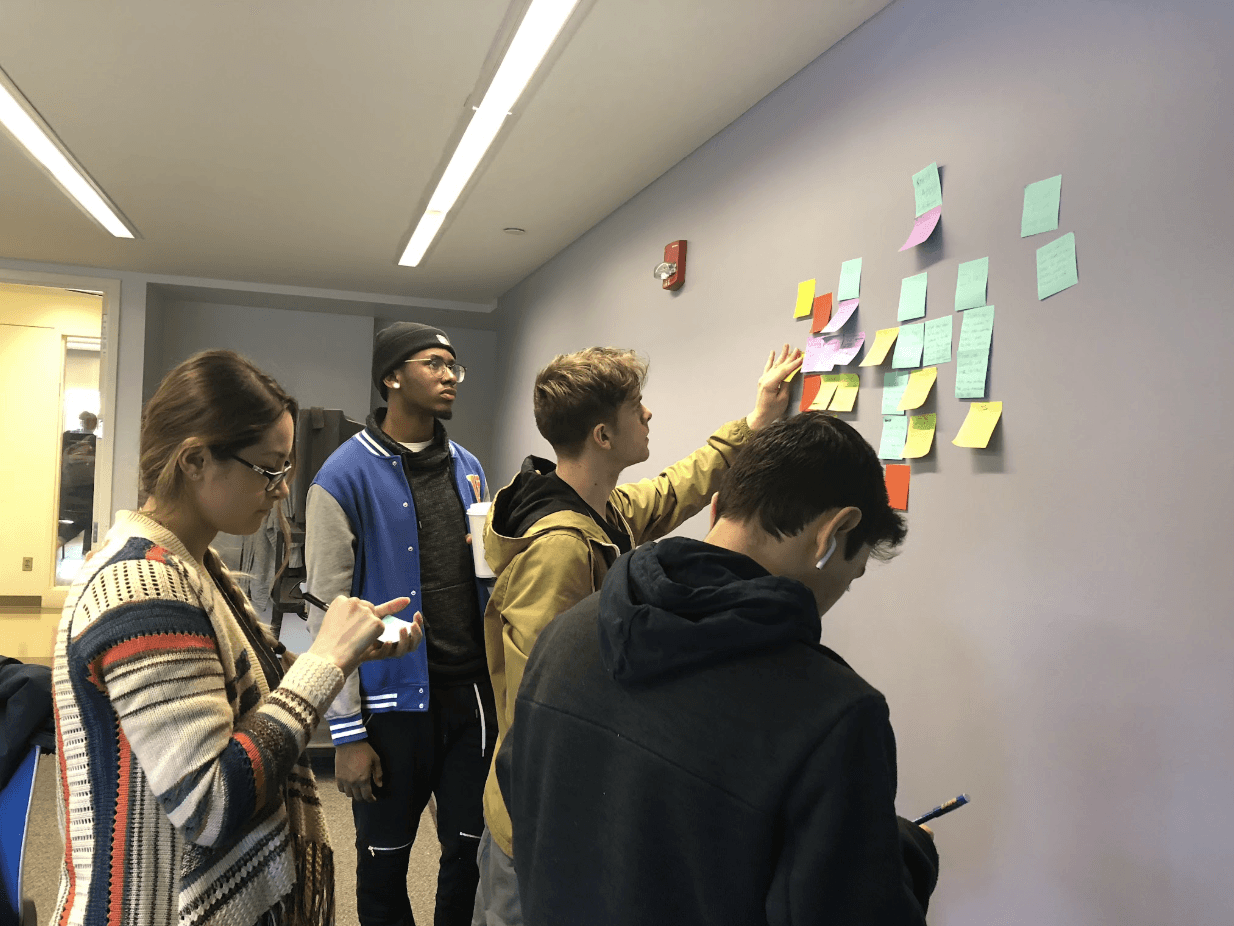
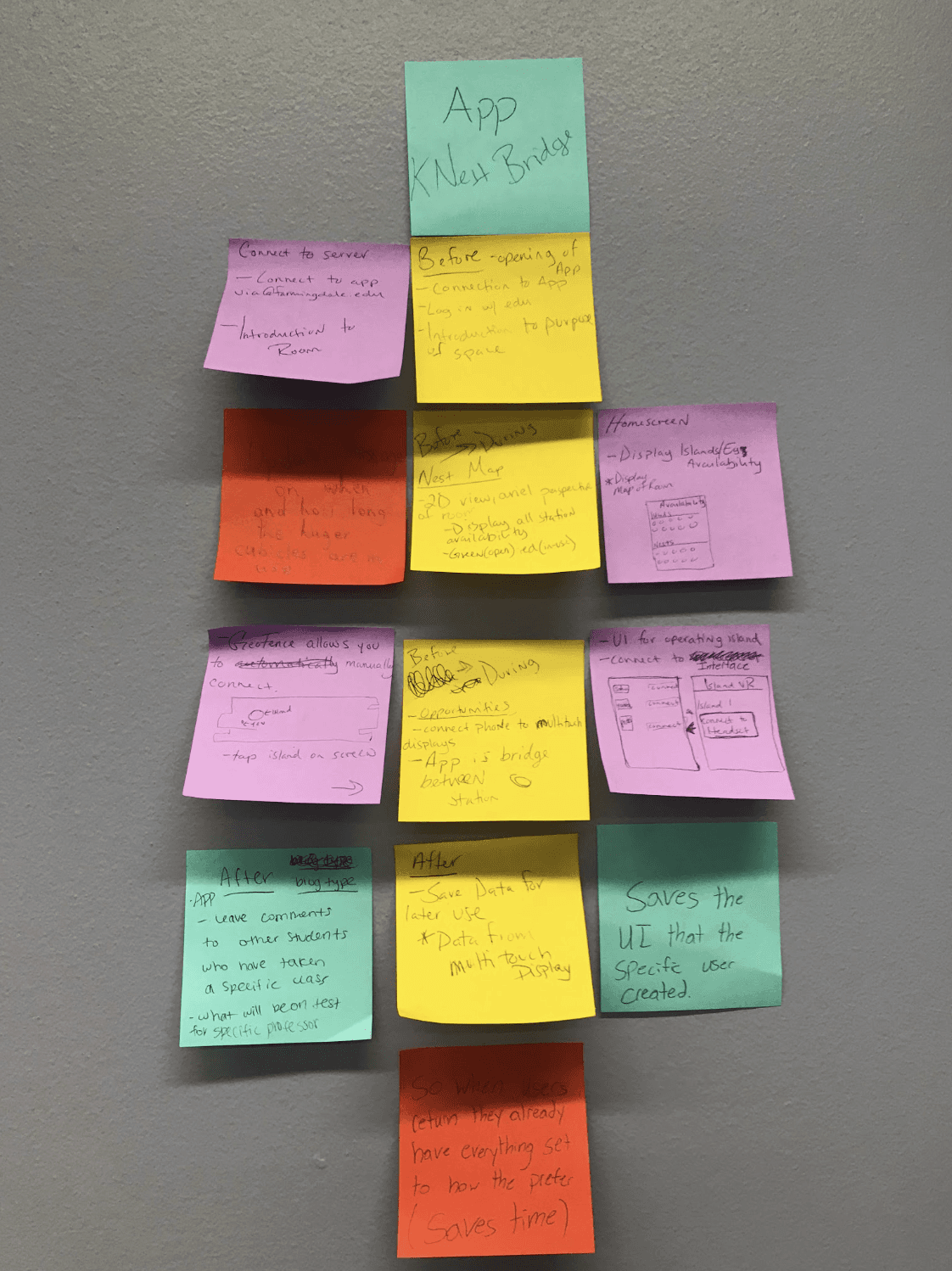
The app’s information architecture was planned through sticky notes, sketches, and wireframes. The team mapped out how students would move from discovering the app, choosing a station, selecting a time slot, syncing their device, and using the space. This helped organize the experience into a simple before, during, and after flow.
A simplified app flow could be structured as:
Entry
Student opens Knest Bridge and chooses a station type.
Reservation
Student selects an available station and time slot.xt user.
Connection
Student syncs their phone or device to the station.
Use
Student studies, listens to music, opens resources, or works with the station tools.
Exit
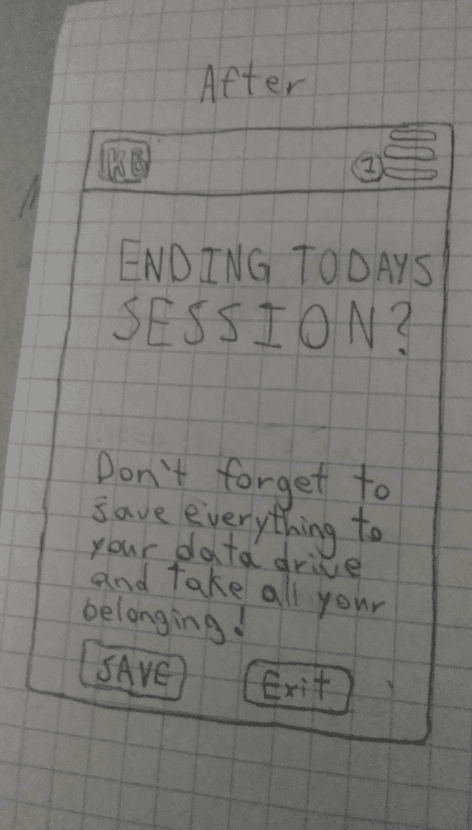
Student disconnects, saves notes if needed, and leaves the station ready for the next user.
Prototyping
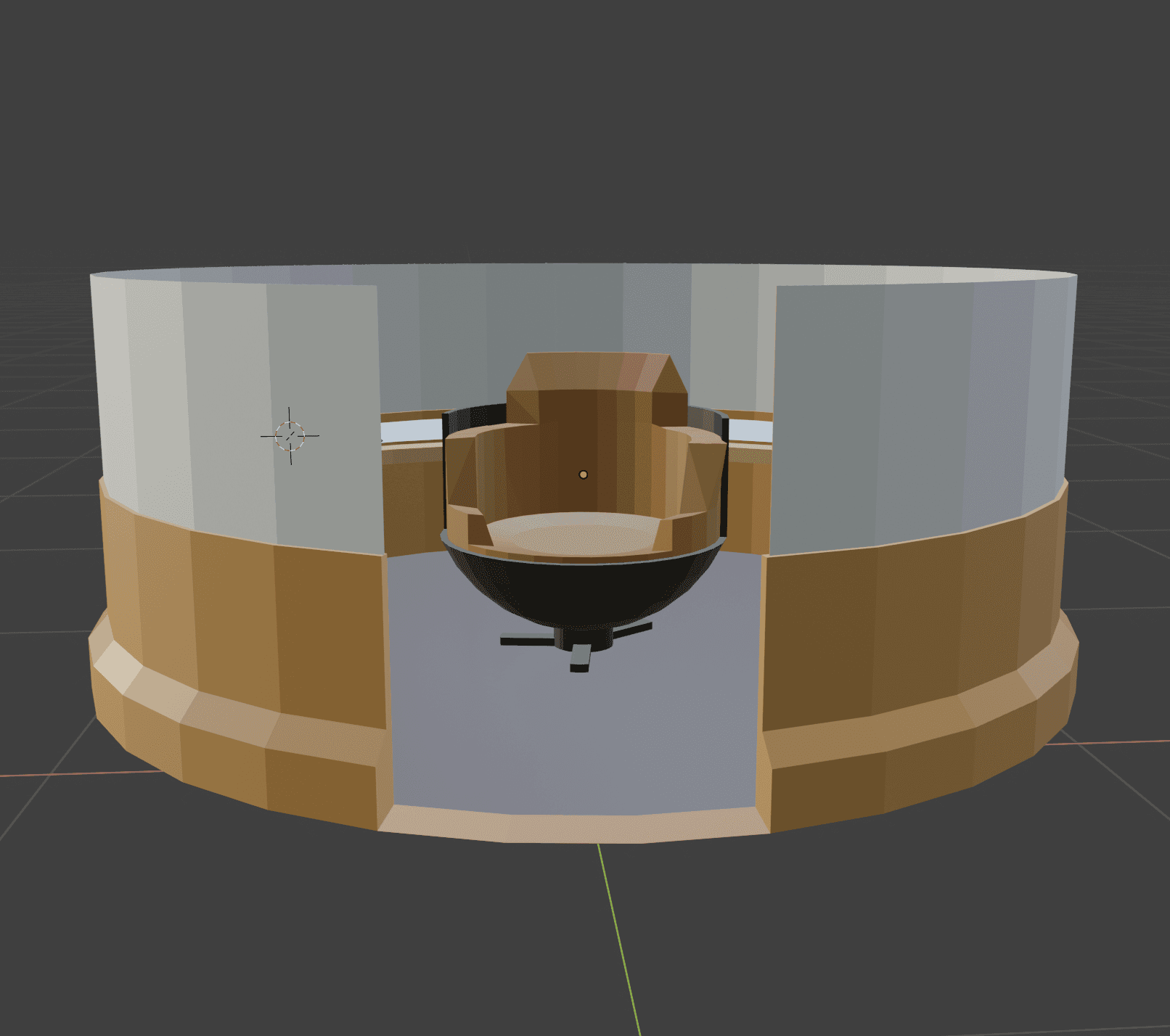
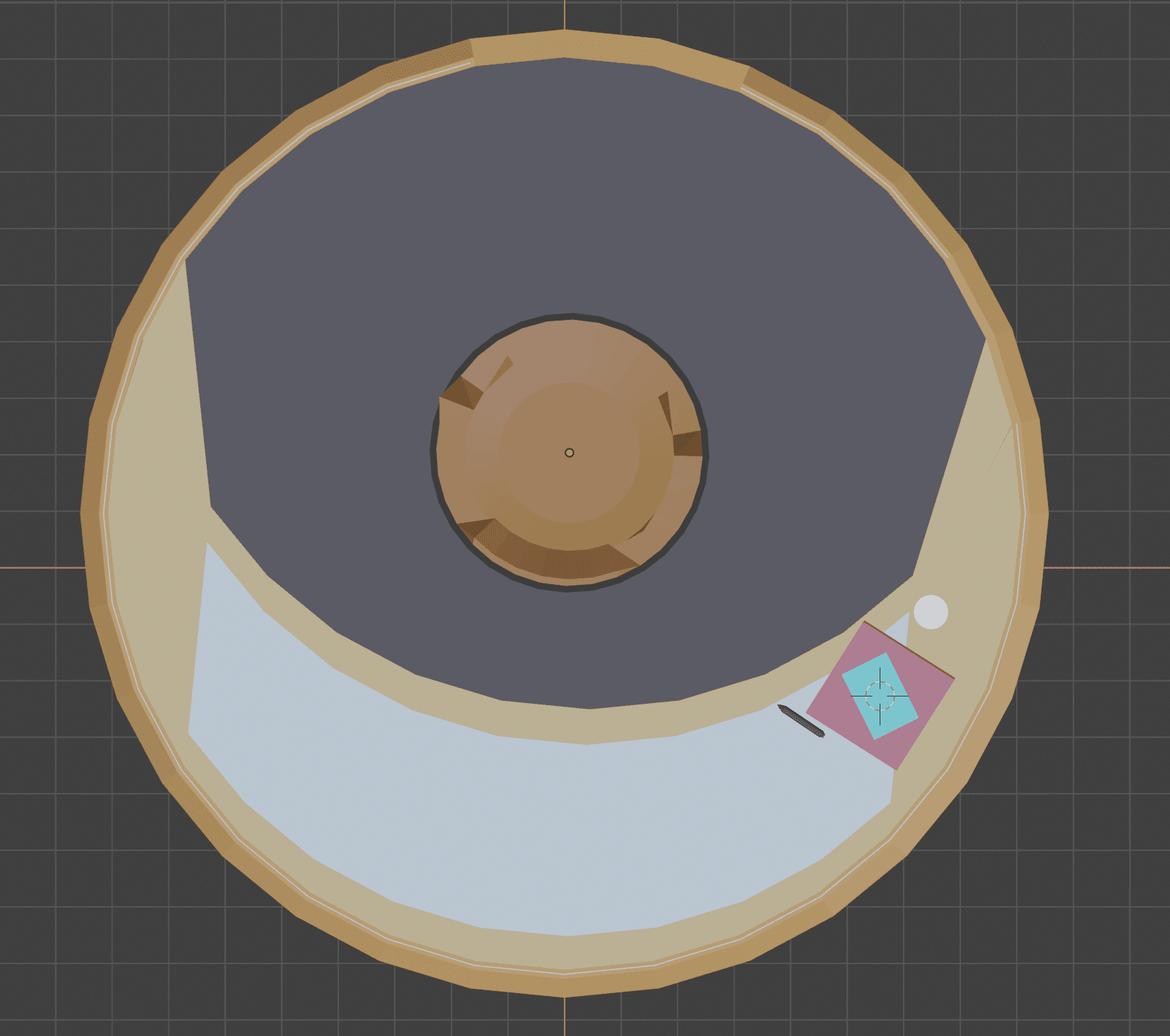
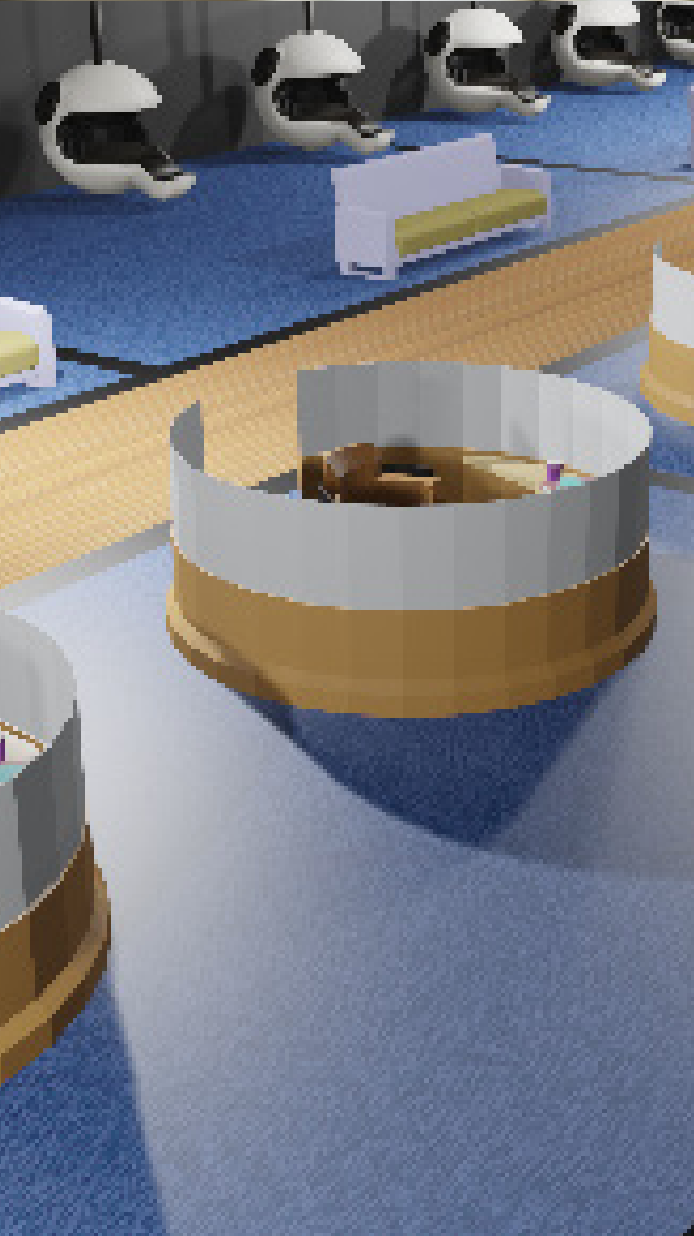
The team developed both a physical/spatial concept and a digital app prototype. The physical space was modeled in Blender to explore how Knest and EG stations could fit into Knapp Hall while preserving open space. The app screens were designed in Illustrator and moved into InVision to create a clickable prototype.
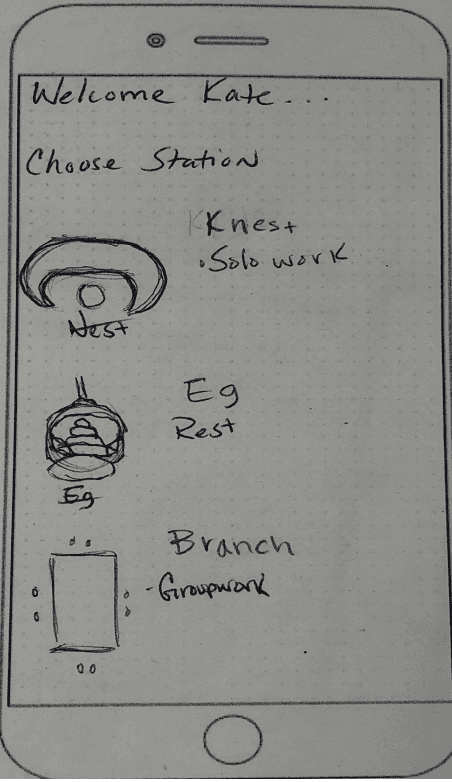
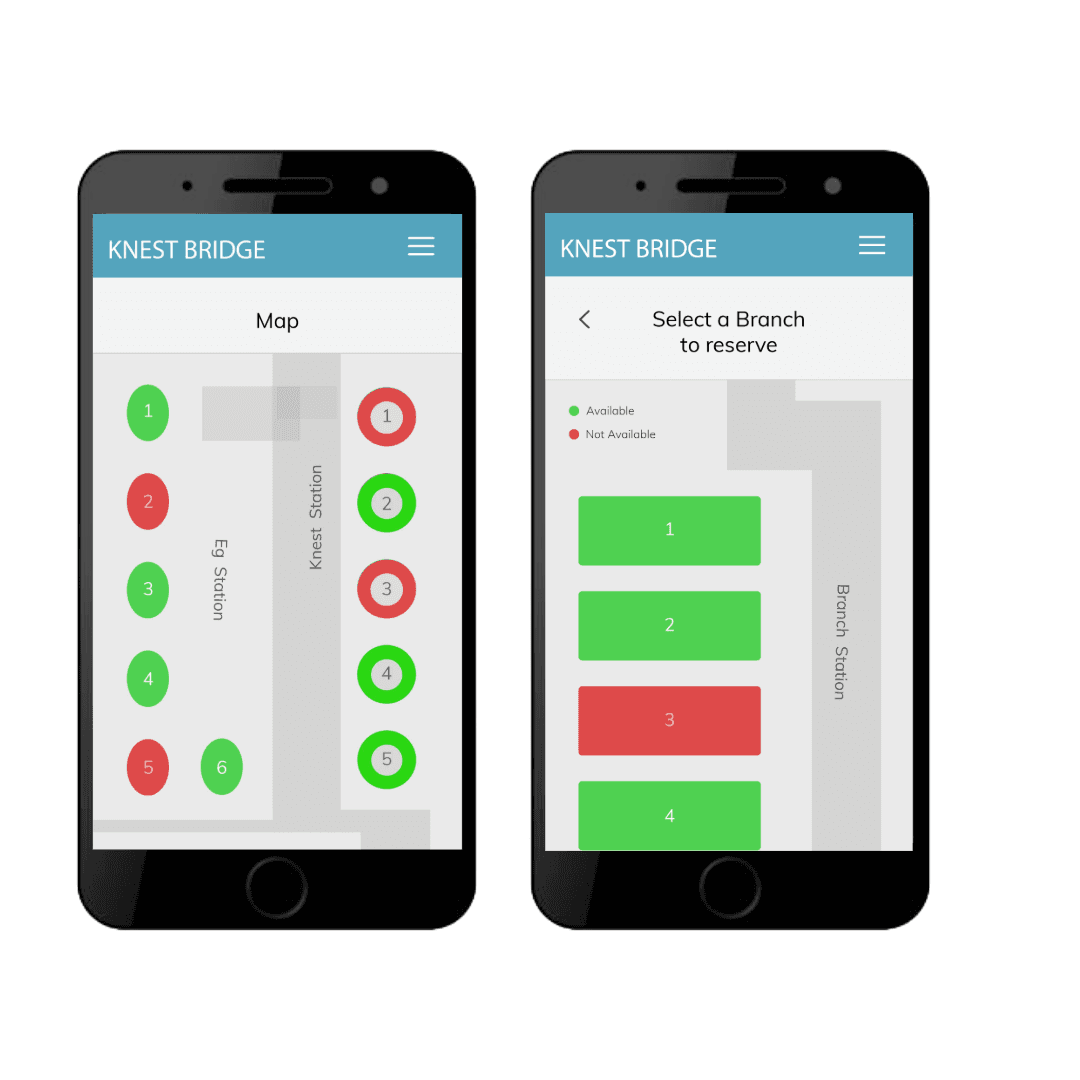
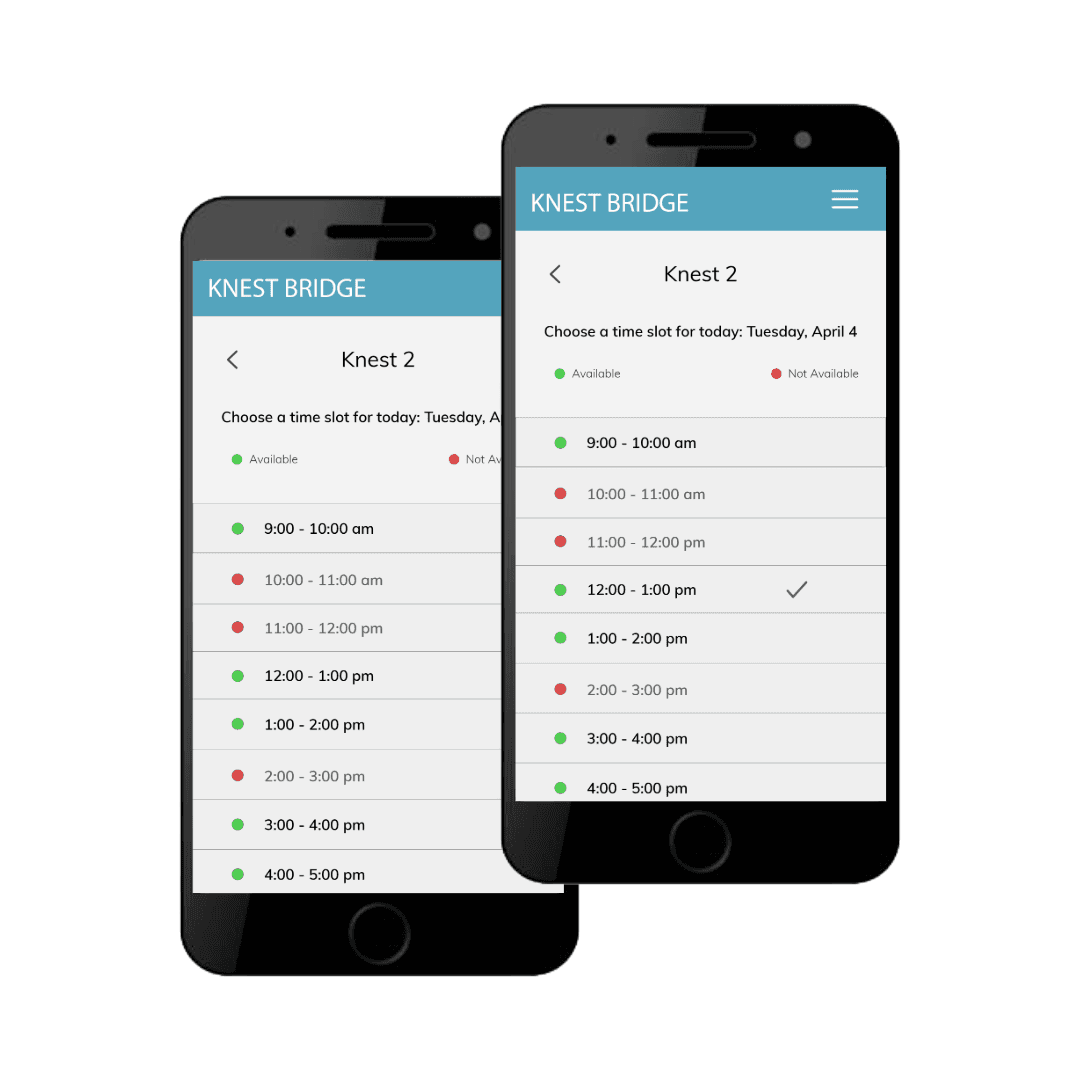
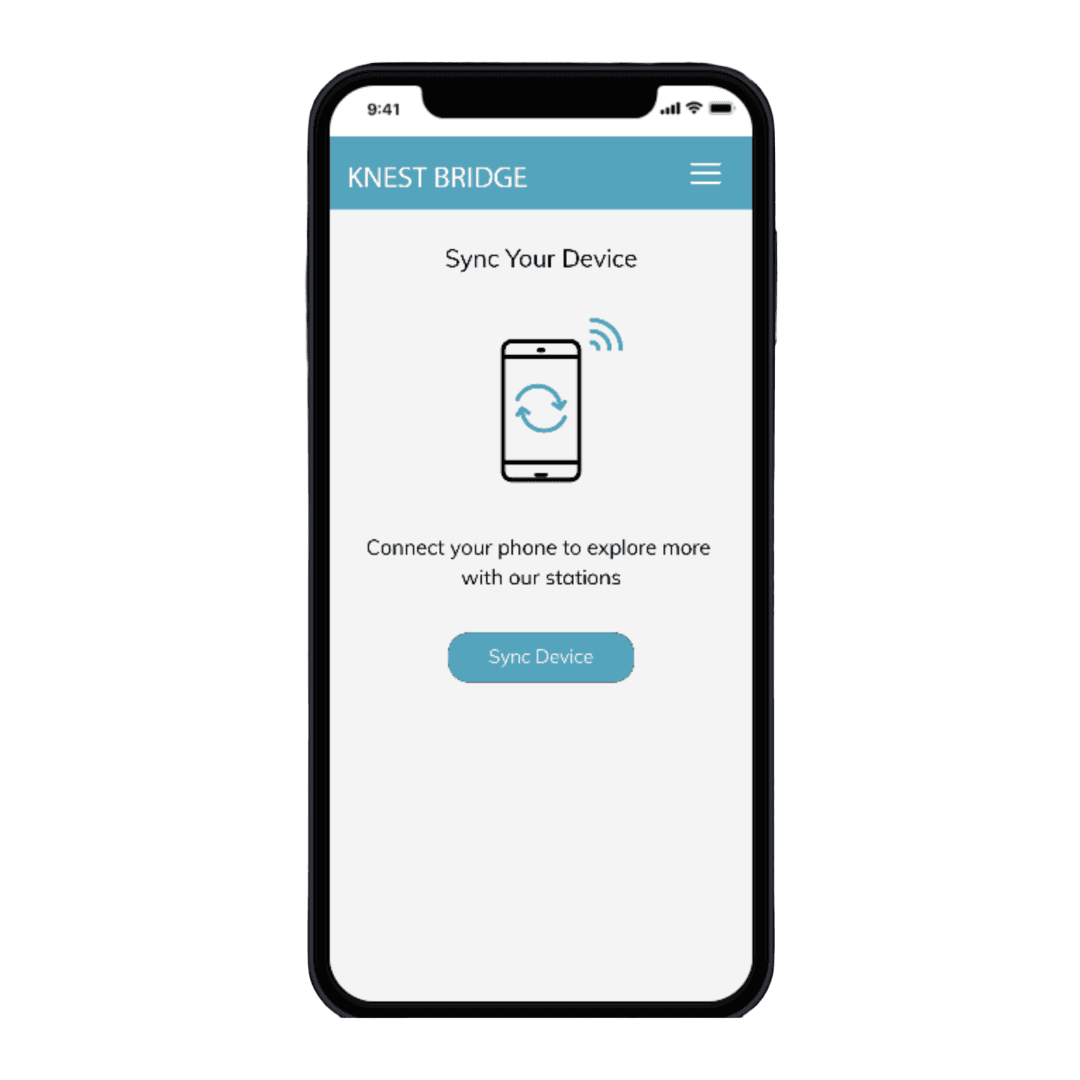
The app prototype included station selection, availability indicators, time-slot selection, and device syncing. Early screens showed a “Choose a Station” interface, a “Knest 2” reservation screen, and a “Sync Your Device” screen.
User Testing
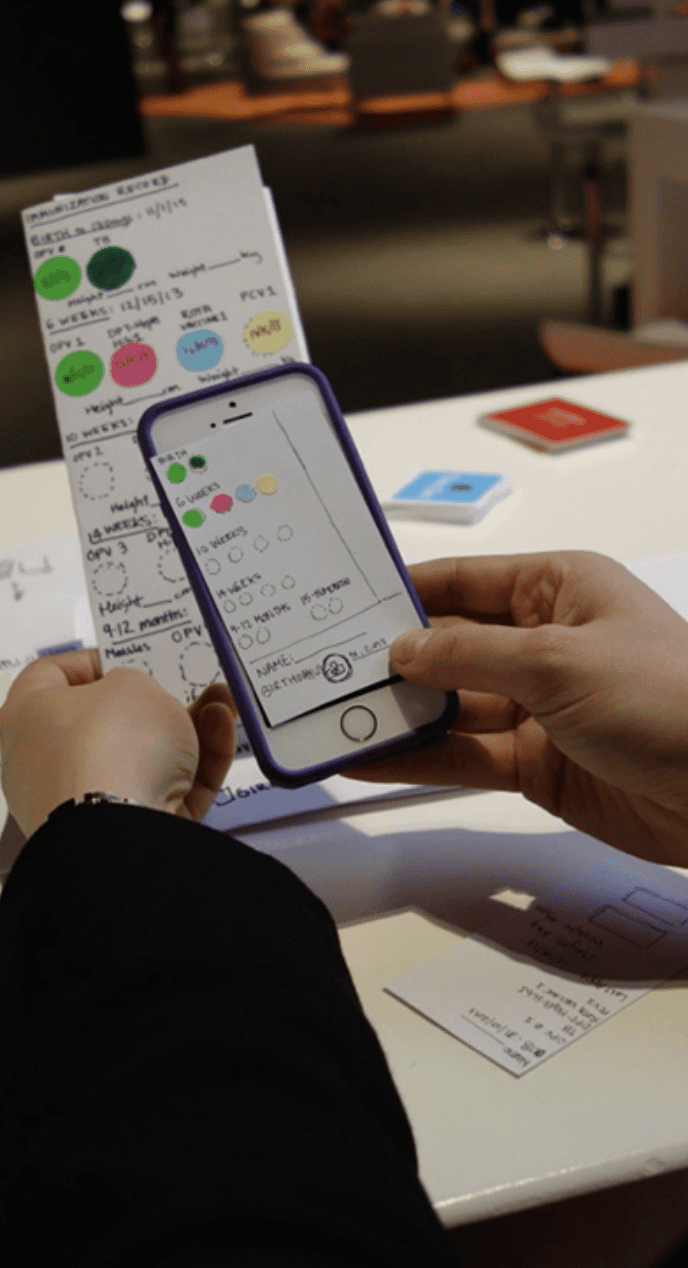
User testing revealed that the overall concept was understandable, but some visual and interaction details needed refinement. One user was confused by the “select Knest” stage and was unsure whether red meant unavailable. Another user had trouble understanding the map icons. A 22-year-old student found the first screens easy to navigate, but skipped a text-heavy screen because “people don’t have time to read this when they are busy.” This feedback pushed the team to simplify important information, improve visual signifiers, and add clearer “available” and “not available” indicators.
The Interactive Model
Final Product
The final product for Knest Bridge was a blended physical-digital campus study system designed for Knapp Hall at Farmingdale State College. The concept combined a redesigned student workspace with a mobile app that allowed students to reserve stations, choose a study environment, connect their devices, and use the space with more intention.
The physical side of the project introduced new station types such as Knest immersive cubicles and EG sleeping/rest pods. These stations were designed to support different student needs: focused studying, device-based work, private music listening, short rest periods, and reduced distraction. The team also modeled the redesigned space in Blender to show how the Knest and EG stations could fit into Knapp Hall while preserving the openness that students already valued.
The final system was built around one main idea: students should not have to wander around campus hoping to find the right place to work. Instead, Knest Bridge gives them a way to plan their study session before they arrive, reserve the type of space they need, and connect to the tools that support their work once they sit down.
Mobile Experience
The Knest Bridge app was the core interaction layer that connected students to the redesigned Knapp Hall environment. While the physical stations created the space, the app made the space usable, reservable, and personalized.
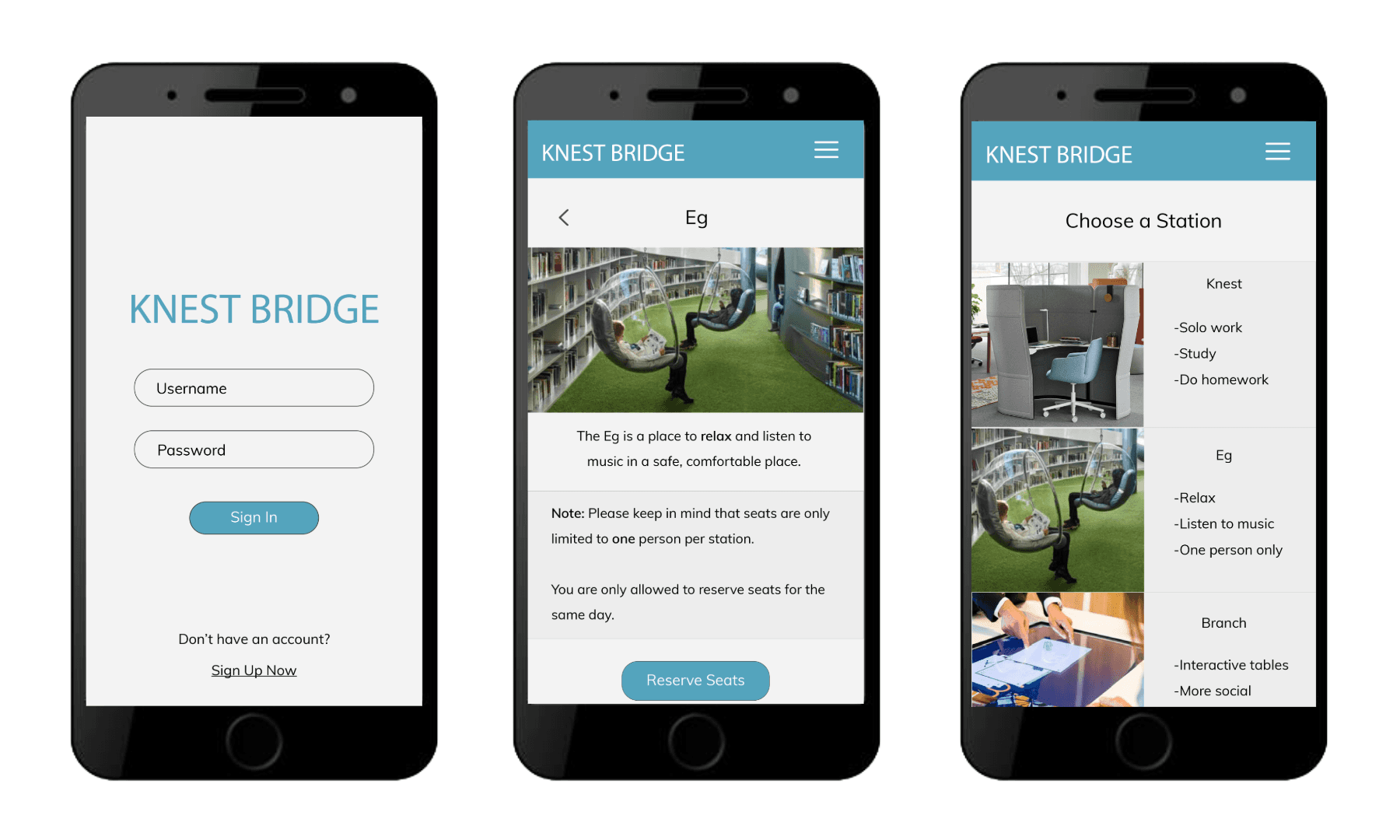
The app was designed around the before, during, and after stages of a student’s study session. Before arriving, students could open the app, view available station types, select a Knest or EG pod, and schedule a time slot. During use, students could sync their phone to the station, connect to the smartdesk, control audio, access study tools, and personalize the station experience. After the session, the app could allow students to save notes, disconnect from the station, and leave the workspace ready for the next user.
The app’s information architecture was planned before the wireframes. The team listed the abilities of the stationary devices on sticky notes and used that process to map how students would connect their mobile devices to the Knest system. This helped clarify the app flow from station selection to reservation and device syncing.
App Functions
Station Selection
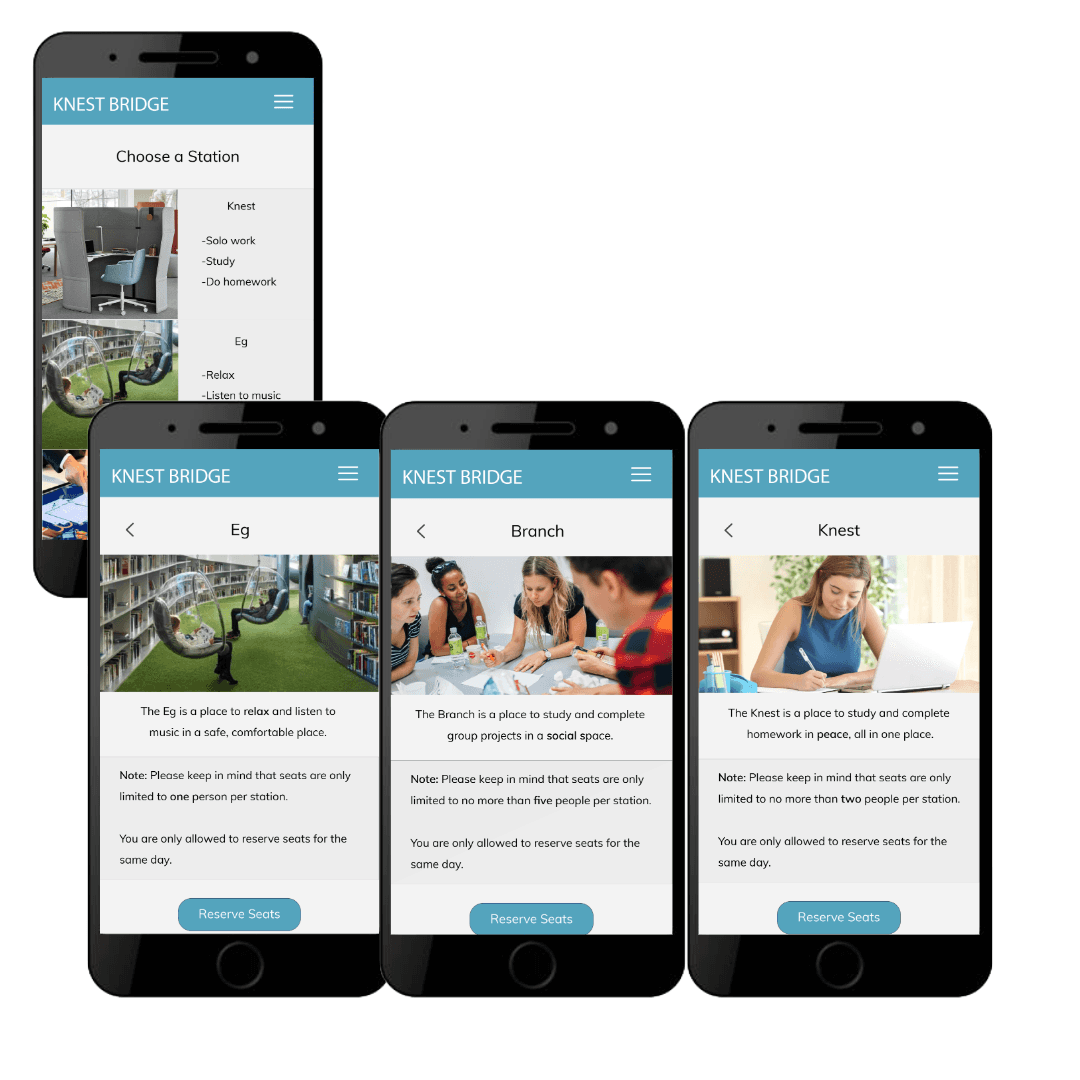
Students choose which type of workspace they need, such as a Knest study station or EG rest pod.
Availability Status
The app shows which stations are available or unavailable, helping students avoid confusion when choosing a spot.
Time Slot Reservation
Students select a time that works for their schedule, allowing them to plan their study session instead of competing for open space.
Device Syncing
Students connect their phone or laptop to the station, allowing the workspace to support music, digital textbooks, internet tabs, smartdesk tools, and other digital resources.
Personalized Study Environment
The Knest station concept allowed students to adjust their environment, including visual atmosphere and audio control, creating a more focused and immersive workspace.
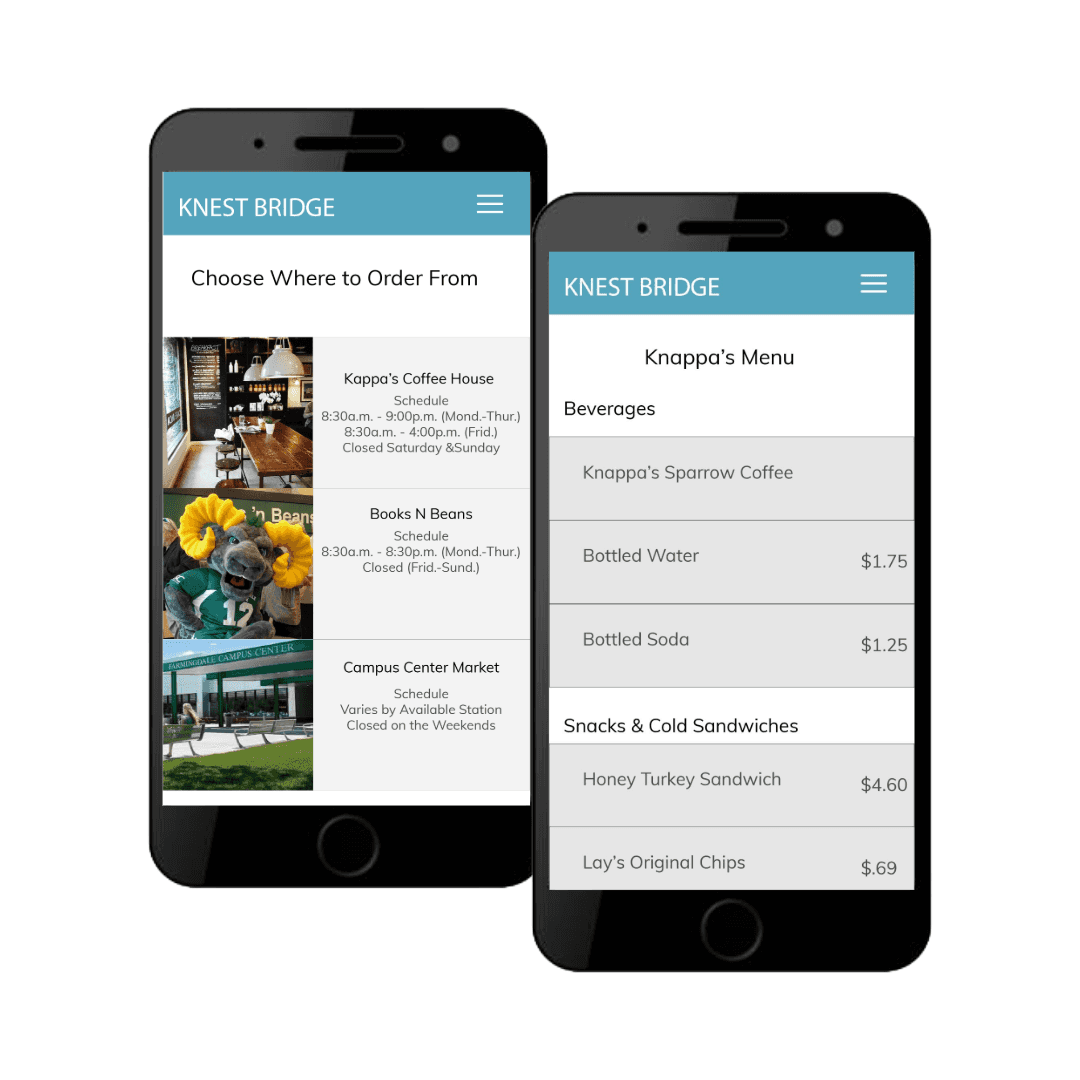
Ordering Food
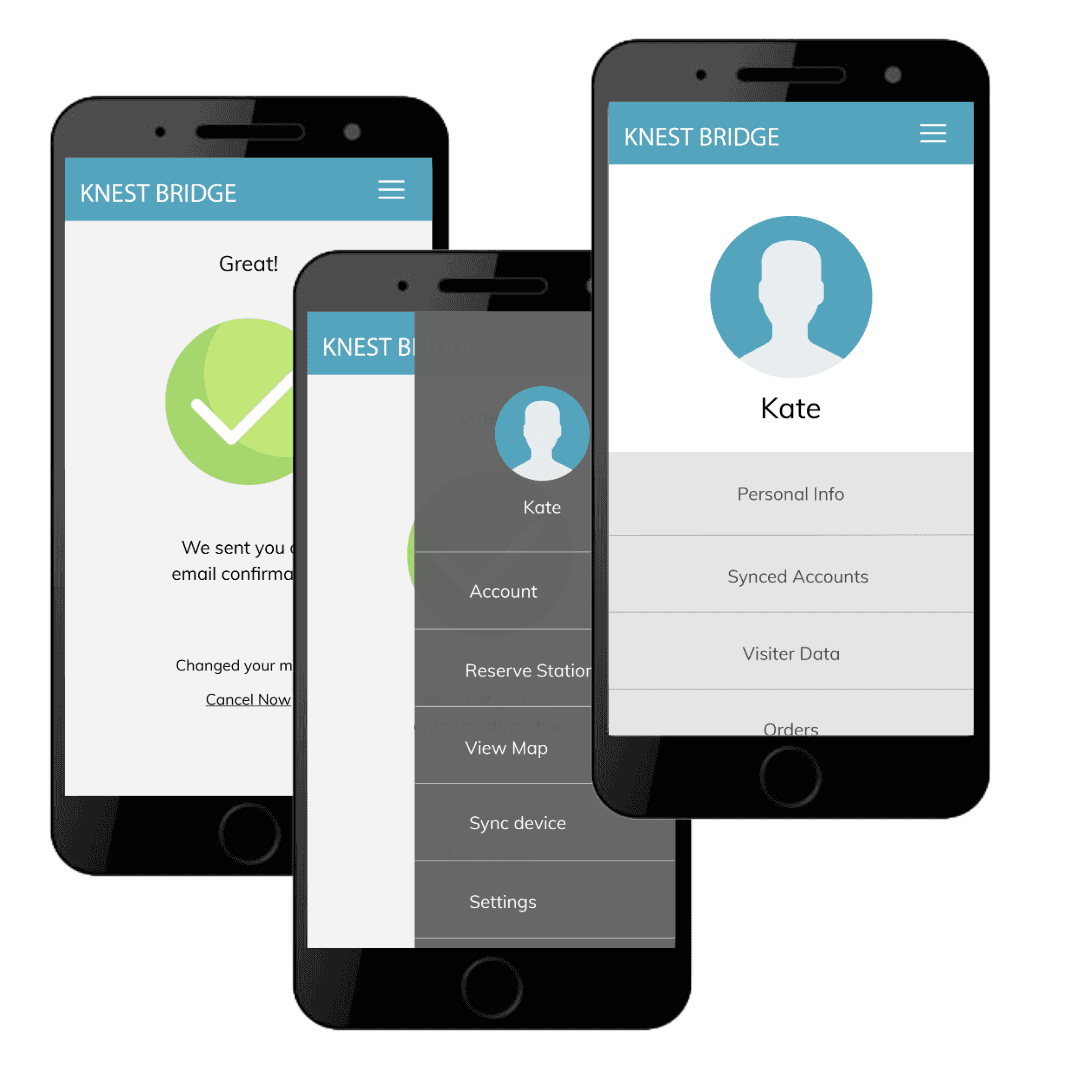
Sudents can use the app to order food from Campus Center, Books N Beans, and the newly propose Kappa's Coffee House.
The Takeaways
Knest Bridge showed me how interaction design can connect digital tools with physical spaces. Students already valued Knapp Hall because it was quiet, spacious, and less crowded than other campus areas, but the space needed better structure, comfort, outlet access, and clearer ways to reserve and use it.
The biggest takeaway was that the best solution did not require changing Knapp Hall completely. Instead, the project focused on strengthening what already worked while adding a mobile app, reservable stations, immersive study pods, and clearer technology support.
If developed further, I would test the app and station system with more students, refine the reservation flow, and explore how Knest Bridge could connect with food ordering, library resources, and academic support services.
Like (Love) My Work?
Contact me to discuss your case!
I am currently based in Long Island, NY.